<?xml version="1.0" encoding="UTF-8"?><rss version="2.0" xmlns:content="http://purl.org/rss/1.0/modules/content/"><channel><title>Projects - Wilkinson.Graphics</title><description>Projects &amp; work from Henry Wilkinson</description><link>https://wilkinson.graphics/</link><language>en-ca</language><item><title>Hijinx World</title><link>https://wilkinson.graphics/projects/hijinx-world-1/</link><guid isPermaLink="true">https://wilkinson.graphics/projects/hijinx-world-1/</guid><description>The human creativity magazine</description><pubDate>Mon, 17 Mar 2025 04:00:00 GMT</pubDate><content:encoded>&lt;p&gt;When 3D artist, animator, and girlfriend &lt;a href=&quot;https://lizadesya.com&quot;&gt;Liza Desyatkova&lt;/a&gt; mentioned to me that she wanted to make a magazine I was pretty immediately on board! I always love a good diversion from my usual problem space of tech, and any excuse to teach somebody about the importance of paragraph styles and margins is always a fun opportunity.&lt;/p&gt;
&lt;h2&gt;Table of Contents&lt;/h2&gt;
&lt;p&gt;The idea for this spread came from Liza after she found an &lt;a href=&quot;https://www.instagram.com/p/CIkDqfYh2-z/&quot;&gt;old post on my Instagram&lt;/a&gt; from a photography class I took in university. She figured it would be cool to turn on the Macintosh and display the table of contents on it. I did a lot of monitor comps on AMC’s Moonhaven and I keep a robust archive of my past work so hey, how hard could it be?&lt;/p&gt;
&lt;img src=&quot;/img/projects/hijinx-world-1/toc.avif&quot; alt=&quot;Magazine spread of a Macintosh Classic sitting atop a desk in an alleyway. The Macintosh has the table of contents displayed on the screen in MacPaint&quot; class=&quot;border-2&quot;/&gt;
&lt;p&gt;If there’s one thing I &lt;em&gt;hate&lt;/em&gt; in movies and TV it’s poor attention to detail with regard to computer interfaces. For this one I loaded up &lt;a href=&quot;https://archive.org/details/mac_Paint_2&quot;&gt;MacPaint 1.5&lt;/a&gt; in the Internet Archive’s emulator, typed out a text specimen of all the characters in the Chicago typeface, and took a screenshot at the original resolution to get the initial capture of the screen. The text was all manually typeset by moving the glyphs around in Affinity Photo — Chicago (the bitmap system font used by the Macintosh) didn’t have &lt;a href=&quot;https://en.wikipedia.org/wiki/Kerning#Kerning_tables&quot;&gt;kerning tables&lt;/a&gt; as we know and enjoy them today — which was a somewhat laborious but ultimately rewarding process. After compositing the final screen into the original image with proper tube distortion, reflections, and chromatic aberration in Nuke I sent the final image to Liza so she could add the rest of the gradient elements along with her “hidden people” illustrations (which can be found throughout the magazine).&lt;/p&gt;
&lt;figure&gt;
  &lt;img-comparison-slider class=&quot;border-2&quot;&gt;
    &lt;img slot=&quot;first&quot; src=&quot;/img/projects/hijinx-world-1/hijinx-monitor-original.avif&quot; alt=&quot;Monitor off&quot;/&gt;
    &lt;img slot=&quot;second&quot; src=&quot;/img/projects/hijinx-world-1/hijinx-monitor-comp.avif&quot; alt=&quot;Monitor on&quot; /&gt;
  &lt;/img-comparison-slider&gt;
  &lt;figcaption&gt;Before &amp; after of the table of contents monitor comp. The black values aren’t 100% matched but sometimes you gotta fudge realism so it looks good when printed :)&lt;/figcaption&gt;
&lt;/figure&gt;
&lt;h2&gt;Selected Magazine Bits&lt;/h2&gt;
&lt;p&gt;Liza profiled &lt;a href=&quot;https://www.dopechief.com/&quot;&gt;Dope Chief&lt;/a&gt;, a local artist from Hamilton Ontario. Dope was kind enough to let us hang out in his studio for a few days before printing to finish everything up!&lt;/p&gt;
&lt;p&gt;&lt;a href=&quot;https://www.nan.xyz/fonts/nan-serf/&quot;&gt;NaN Serif A&lt;/a&gt; was used for article titles whereas &lt;a href=&quot;https://github.com/Omnibus-Type/Chivo&quot;&gt;Chivo&lt;/a&gt; was used for body text. NaN has an incredibly reasonable and very cool &lt;a href=&quot;https://www.nan.xyz/back-to-school/&quot;&gt;student bundle&lt;/a&gt; that allows for small-time commercial use of their fonts after graduating. If you’re currently in design school I highly recommend checking it out!&lt;/p&gt;
&lt;img src=&quot;/img/projects/hijinx-world-1/dope.avif&quot; alt=&quot;Closeup of a magazine article with the title &apos;Dope Chief Studios: Liminal malls, immersive galleries, and radical creativity&apos;&quot; class=&quot;border-2&quot;&gt;
&lt;figure&gt;
  &lt;img src=&quot;/img/projects/hijinx-world-1/greg.avif&quot; alt=&quot;Cartoon line drawings of wacky crazy faces litter the margins of this magazine spread with cascading blocks of text in the centre of the pages.&quot; class=&quot;border-2&quot;&gt;
  &lt;figcaption&gt;Greg &quot;jREG&quot; Guevara’s article on creativity&lt;/figcaption&gt;
&lt;/figure&gt;
&lt;img src=&quot;/img/projects/hijinx-world-1/practice.avif&quot; alt=&quot;Magazine spread of an article titled: &apos;The art of practice&apos; with the title set in big blobby 3D letters.&quot; class=&quot;border-2&quot;&gt;
&lt;figure&gt;
  &lt;img src=&quot;/img/projects/hijinx-world-1/corpo-internet.avif&quot; alt=&quot;Magazine spread of an article titled: &apos;Leaving the corpo internet behind&apos; with retro pixel art graphics.&quot; class=&quot;border-2&quot;&gt;
  &lt;figcaption&gt;My article encouraging readers to create their own websites!&lt;/figcaption&gt;
&lt;/figure&gt;
&lt;hr&gt;
&lt;p&gt;I’m fairly proud of everything we accomplished together and how far Liza has come with her layout skills since I met her and started giving her nitpicks. She did a ton of work to get this project out the door. In total we created seventeen spreads!&lt;/p&gt;
&lt;p&gt;If you’re looking to pick up a copy for yourself, check out &lt;a href=&quot;https://shop.hijinx.world&quot;&gt;shop.hijinx.world&lt;/a&gt;.&lt;/p&gt;
</content:encoded><category>Publication</category><author>Henry Wilkinson</author></item><item><title>Webrecorder</title><link>https://wilkinson.graphics/projects/webrecorder/</link><guid isPermaLink="true">https://wilkinson.graphics/projects/webrecorder/</guid><description>Web archiving for all!</description><pubDate>Thu, 31 Oct 2024 04:00:00 GMT</pubDate><content:encoded>&lt;p&gt;Over the past few years whenever I told somebody that I worked at a company that makes web archiving software, the next words out of their mouth were either: “What’s web archiving?” or (very rarely) “Wow! That’s amazing!” This experience summed up some of the challenges in branding the company: For a technical clued-in audience, web archiving software is pretty darn cool but for the rest of the planet it’s importance and utility is somewhat of a mystery.&lt;/p&gt;
&lt;p&gt;When it became clear that we needed to upgrade our branding, my aim was to take the complex topic of “open source web archiving software” and make it look &lt;em&gt;significantly&lt;/em&gt; more approachable.&lt;/p&gt;
&lt;h2&gt;Logos&lt;/h2&gt;
&lt;p&gt;Throughout the course of this project, I also served as Webrecorder’s UI/UX designer on Browsertrix: Webrecorder’s cloud-based web archiving platform. To get the ball rolling on the branding refresh, we contracted New York based designer &lt;a href=&quot;https://blakeduncanson.online&quot;&gt;Blake Duncanson&lt;/a&gt; to create some concept marks for all of Webrecorder’s actively developed user-facing software packages.&lt;/p&gt;
&lt;p&gt;Blake was incredibly helpful and his work was instrumental in informing the direction we went with the rest of the marks. The ArchiveWeb.page, Browsertrix, and Browsertrix Crawler logos are pretty much entirely his concepts!&lt;/p&gt;
&lt;figure&gt;
&lt;img src=&quot;/img/projects/webrecorder/app-icons.avif&quot; alt=&quot;Webrecorder&apos;s four application logos. ReplayWebpage: Replay arrows surrounding a globe, Browsertrix: A grid of merged together dots with the top row disconnected from the rest, Browsertrix Crawler: An eye inside a C, and ArchiveWeb.page: Two thick lines forming an arch that looks like an A.&quot; class=&quot;border-2&quot;&gt;
  &lt;figcaption&gt;
    From left to right: ReplayWeb.page, Browsertrix, Browsertrix Crawler, and ArchiveWeb.page.
  &lt;/figcaption&gt;
&lt;/figure&gt;
&lt;p&gt;One of my top goals was that Webrecorder’s identifying marks should look like they belong to a cohesive set. To this end, I drew all of Webrecorder’s final app logos within a 96pt grid system, each using similar line weights, a 1pt corner radius to smooth out sharp points, and the same two-tone brand colours.&lt;/p&gt;
&lt;figure&gt;
&lt;img src=&quot;/img/projects/webrecorder/logo-grid.avif&quot; alt=&quot;Webrecorder&apos;s Browsertrix, ArchiveWeb.page, ReplayWeb.page, and Browsertrix Crawler logomarks shown behind a grid system composed of multiple circles and key grid areas.&quot;&gt;
  &lt;figcaption&gt;
    As with all good logo grids, sometimes you need to break them and optically adjust your graphics so they actually &lt;em&gt;look&lt;/em&gt; correct!
  &lt;/figcaption&gt;
&lt;/figure&gt;
&lt;p&gt;For Browsertrix (top left), we wanted to represent organization and parallel compute while also referencing the web browser’s UI with a navigation bar at the top and a content area below. Browsertrix is an application that integrates all of Webrecorder’s other software in some fashion and therefore is the only one made up of smaller rounded shapes. It’s a bit different than the other marks, the grid adherence is mostly at intersection points, but as Webrecorder’s core revenue-generating product we wanted it to be distinct!&lt;/p&gt;
&lt;p&gt;ArchiveWeb.page (top right) takes the form of the end of the user’s fingerprint as they manually operate the browser to collect archived material, along with the shape of an “A”. ReplayWeb.page (bottom left) places the global network of the internet inside the common “replay arrows” symbol. Browsertrix Crawler (bottom right) — Webrecorder’s command-line capture software that powers Browsertrix — places an eye inside a “C” for “crawler”! &lt;/p&gt;
&lt;h3&gt;App Icons&lt;/h3&gt;
&lt;p&gt;ArchiveWeb.page and ReplayWeb.page can both be installed as desktop applications and Browsertrix can be installed as a progressive web app. All of these needed app icons!&lt;/p&gt;
&lt;div class=&quot;flex gap-2 w-full&quot;&gt;
  &lt;img src=&quot;/img/icons/archivewebpage.png&quot; alt=&quot;ArchiveWeb.page macOS app icon&quot; class=&quot;min-w-0 max-w-full&quot;&gt;
  &lt;img src=&quot;/img/icons/replaywebpage.png&quot; alt=&quot;ReplayWeb.page macOS app icon&quot; class=&quot;min-w-0 max-w-full&quot;&gt;
  &lt;img src=&quot;/img/icons/browsertrix.png&quot; alt=&quot;Browsertrix macOS app icon&quot; class=&quot;min-w-0 max-w-full&quot;&gt;
&lt;/div&gt;
&lt;p&gt;I modeled, lit, and rendered these in Blender, my 3D package of choice, but had to take a trip over to &lt;a href=&quot;https://www.plasticity.xyz/&quot;&gt;Plasticity&lt;/a&gt; for the ReplayWeb.page globe due to some deficiencies with Blender’s beveling algorithm.&lt;sup class=&quot;footnote-ref&quot;&gt;&lt;a href=&quot;#fn1&quot; id=&quot;fnref1&quot;&gt;1&lt;/a&gt;&lt;/sup&gt; Browsertrix’s goopy spherical connections were merged together with signed distance fields created using Blender’s geometry nodes!&lt;/p&gt;
&lt;h3&gt;Company Logo&lt;/h3&gt;
&lt;p&gt;Ilya really wanted to retain the existing arrow replay glyph from Webrecorder’s previous branding but I was initially pretty skeptical. It was difficult to fit into the square logo grid I had constructed that was working well for the other marks and I found the arrowheads challenging to balance on the top and bottom of the design.&lt;/p&gt;
&lt;p&gt;After deciding to align the arrowheads at the 45° angle, the rest pretty much clicked into place! It felt good to land on a solution everyone liked after &lt;em&gt;years&lt;/em&gt; of noodling around with different options and in the end retaining this element of Webrecorder’s identity was absolutely the right call.&lt;/p&gt;
&lt;/figure&gt;
  &lt;img src=&quot;/img/projects/webrecorder/webrecorder-logo.avif&quot; alt=&quot;Webrecorder&apos;s logo composed of a chain link with arrowheads at the end of each line representing the concept of replaying a link&quot; class=&quot;border-2&quot;&gt;
  &lt;figcaption&gt;
    Being the &lt;em&gt;company logo&lt;/em&gt; instead of just another software package, Webrecorder&apos;s mark uses a doubled intersecting version of the logo grid and the same metrics as the other logos. The increased width helps distinguish it from the rest of the product marks.
  &lt;/figcaption&gt;
&lt;/figure&gt;
&lt;img src=&quot;/img/projects/webrecorder/webrecorder-lockup.avif&quot; alt=&quot;Logo next to text that says Webrecorder&quot; class=&quot;border-2&quot;&gt;
&lt;h2&gt;A Note on Typography&lt;/h2&gt;
&lt;p&gt;We picked Elena Schneider’s &lt;a href=&quot;https://elenaschneider.com/Konsole&quot;&gt;Konsole&lt;/a&gt; as the organization’s primary display typeface. She says it’s still a work in progress, I say it looks pretty darn cool with vintage vibes, versatile width and weight axes, and lots of character.&lt;sup class=&quot;footnote-ref&quot;&gt;&lt;a href=&quot;#fn2&quot; id=&quot;fnref2&quot;&gt;2&lt;/a&gt;&lt;/sup&gt;&lt;/p&gt;
&lt;p&gt;For body text we picked the tried and true &lt;a href=&quot;https://rsms.me/inter/&quot;&gt;Inter&lt;/a&gt;. Inter’s character set and OpenType features are hard to beat, it’s still my favourite neo-grotesque for UI. We used the &lt;code&gt;ss07&lt;/code&gt; squared punctuation stylistic set added in Inter’s 4.0 release to match Konsole’s square dots!&lt;/p&gt;
&lt;p&gt;For monospaced text, we chose ArrowType’s &lt;a href=&quot;https://www.recursive.design/&quot;&gt;Recursive&lt;/a&gt;: available as a monospaced (or not!) variable font with &lt;em&gt;more&lt;/em&gt; going on than our display typeface! Recursive has a whopping four axes, though I typically made the most use of &lt;code&gt;mono&lt;/code&gt;, which when set to &lt;code&gt;0.51&lt;/code&gt;, uses the monospaced &lt;em&gt;character variants&lt;/em&gt; without actually &lt;em&gt;being fully monospaced&lt;/em&gt;, a micro-typography bonus for legibility in specific scenarios where you want styling to match but don’t &lt;em&gt;actually need&lt;/em&gt; characters to align in two dimensions! I wish more superfamilies would adopt this!&lt;/p&gt;
&lt;h2&gt;Colour&lt;/h2&gt;
&lt;p&gt;In addition to the cyan and green colours used in the two-tone logos, I created a full colour palette to be used across our site, apps, and other marketing material. This colour scale was mostly derived using &lt;a href=&quot;https://leonardocolor.io&quot;&gt;Leonardo&lt;/a&gt;&lt;sup class=&quot;footnote-ref&quot;&gt;&lt;a href=&quot;#fn3&quot; id=&quot;fnref3&quot;&gt;3&lt;/a&gt;&lt;/sup&gt; which provides a really great baseline and uses &lt;a href=&quot;https://bottosson.github.io/posts/oklab/&quot;&gt;Oklch&lt;/a&gt; for for predictable “perceptual-like” colour interpolation. Webrecorder’s applications use colour semantically for warnings, errors, danger, success, and neutral states. It was important for us to retain cyan as a brand colour for theming our interfaces.&lt;/p&gt;
&lt;p&gt;Want the values for yourself? Check em out in &lt;a href=&quot;https://github.com/webrecorder/hickory/&quot;&gt;Webrecorder’s design system repo&lt;/a&gt;!&lt;/p&gt;
&lt;img src=&quot;/img/projects/webrecorder/color.avif&quot; alt=&quot;Swatcehs of muted colours on a scale ranging from 050 to 900.&quot; class=&quot;border-2&quot;&gt;
&lt;h2&gt;Illustrations&lt;/h2&gt;
&lt;p&gt;I can do a lot of things, but drawing isn’t my forte; fortunately I have talented friends! We worked with Toronto illustrator &lt;a href=&quot;https://www.alannahastorquiza.me/&quot;&gt;Alannah Astorquiza&lt;/a&gt; to create the characters and illustrated icons seen throughout the website. Alannah added the exact approachable feel we were looking for with a cast of cartoon characters to visually represent the “all” in “web archiving for all”.&lt;/p&gt;
&lt;img src=&quot;/img/projects/webrecorder/character-illustrations.avif&quot; alt=&quot;A grid of 18 different 2D cartoon characters, all with different skintones, outfits, and professions&quot; class=&quot;border-2&quot;&gt;
&lt;img src=&quot;/img/projects/webrecorder/icon-sheet.avif&quot; alt=&quot;A generalized set of 28 illustrated icons including Webrecorder&apos;s apps, flasks, folders, the Adobe Flash logo, and a padlock among others.&quot; class=&quot;border-2&quot;&gt;
&lt;h2&gt;Website&lt;/h2&gt;
&lt;p&gt;Prior to this website, Webrecorder’s web presence was somewhat scattered across multiple domains. Each site had a different structure, navigation between them wasn’t intuitive, and there was no overarching funnel for driving revenue. In addition to the brand redesign, we took this opportunity to overhaul all of our web content integrating all of Webrecorder’s tools, news, and educational resources into a single website with unified navigation. &lt;a href=&quot;https://emma.cafe/&quot;&gt;Emma&lt;/a&gt;, &lt;a href=&quot;https://suayoo.com/&quot;&gt;Sua&lt;/a&gt;, and I picked &lt;a href=&quot;https://astro.build/&quot;&gt;Astro&lt;/a&gt; for this site and jumped between Figma and prototyping with code where it made sense to do so.&lt;/p&gt;
&lt;p&gt;Webrecorder makes web archiving software so hey, why not use it! Below you can browse an archive of what the site looked like as of my involvement.&lt;sup class=&quot;footnote-ref&quot;&gt;&lt;a href=&quot;#fn4&quot; id=&quot;fnref4&quot;&gt;4&lt;/a&gt;&lt;/sup&gt;&lt;/p&gt;
&lt;figure class=&quot;border-2 mb-16 h-screen&quot;&gt;
  &lt;replay-web-page style=&quot;width: 100%; height: 100%;&quot; replayBase=&quot;/replay/&quot; source=&quot;
  https://wilkinson-graphics-corp-public.s3.us-east-005.backblazeb2.com/web-archives/webrecorder-2025-03-03.wacz&quot; url=&quot;https://webrecorder.net&quot; ts=&quot;20250303&quot;&gt;&lt;/replay-web-page&gt;
  &lt;figcaption&gt;
    Web archive too small? Try making the archived embed full screen using the menu in the top right.
  &lt;/figcaption&gt;
&lt;/figure&gt;
&lt;script is:inline src=&quot;https://cdn.jsdelivr.net/npm/replaywebpage@latest/ui.js&quot;
&gt;&lt;/script&gt;
&lt;p&gt;One thing that &lt;em&gt;won’t work&lt;/em&gt; right now inside the archive above is, perhaps ironically, web archives! My favourite usage of them is on the 404 page where we redirect anything that might become lost over time to an archived copy hosted with Browsertrix.&lt;/p&gt;
&lt;figure&gt;
  &lt;img src=&quot;/img/projects/webrecorder/archived-page.avif&quot; class=&quot;border-2&quot; alt=&quot;Screenshot of Webrecorder&apos;s 404 page with an embedded web archive showing a page from the old website.&quot;&gt;
  &lt;figcaption&gt;
    A web archive of the old site embedded on the 404 page of the new site!
  &lt;/figcaption&gt;
&lt;/figure&gt;
&lt;h2&gt;Closing Thoughts&lt;/h2&gt;
&lt;p&gt;Branding and web design work is business infrastructure: The up-front costs of time and effort pay off every time somebody reads a blog post or learns about your company for the first time. Memorable and distinct iconography helps customers (both existing and prospective) identify and retain information about your products. You can have the best software in your product segment, but it’s a lot less useful if nobody can remember what it’s called! If I have one regret with this project, its that we didn’t start it earlier. Fixing the structural problems and unifying Webrecorder’s content under one site immediately doubled our web traffic (partially due to redirects), and created a measurable inflection point for improving search result discovery.&lt;/p&gt;
&lt;p&gt;Hindsight is 20/20 though and all things considered I’m incredibly proud of what myself and the rest of the team at Webrecorder was able to pull off with our rebrand. Webrecorder is a company that punches far above its weight class, both in the quality &lt;em&gt;and&lt;/em&gt; quantity of software they produce relative to the size of the team. It was a very rewarding journey to be a part of, and I’m excited to see where they go next!&lt;/p&gt;
&lt;p&gt;If you’re looking for an all-in-one platform for creating and managing web archives, check out &lt;a href=&quot;https://webrecorder.net/browsertrix&quot;&gt;Browsertrix&lt;/a&gt;. I worked on it, it’s pretty good!&lt;/p&gt;
&lt;hr class=&quot;footnotes-sep&quot;&gt;
&lt;section class=&quot;footnotes&quot;&gt;
&lt;ol class=&quot;footnotes-list&quot;&gt;
&lt;li id=&quot;fn1&quot; class=&quot;footnote-item&quot;&gt;&lt;p&gt;At IIPC’s 2024 conference where we revealed some of these updated logos to the broader web archiving community I was asked many questions about the meaning of each of them and subsequently promised a detailed blog post about our processes. I’m publishing this case study a little later than I’d originally wanted, but hopefully it suffices! &lt;a href=&quot;#fnref1&quot; class=&quot;footnote-backref&quot;&gt;↩︎&lt;/a&gt;&lt;/p&gt;
&lt;/li&gt;
&lt;li id=&quot;fn2&quot; class=&quot;footnote-item&quot;&gt;&lt;p&gt;I have been waiting eagerly for Blender to adopt the &lt;a href=&quot;https://en.wikipedia.org/wiki/Straight_skeleton&quot;&gt;straight-skeleton algorithm&lt;/a&gt; for beveling &lt;a href=&quot;https://www.youtube.com/watch?v=16dpUQ57Xv8&quot;&gt;first announced at Blendercon in 2022&lt;/a&gt;. Turns out beveling polygons &lt;em&gt;is&lt;/em&gt; hard… &lt;a href=&quot;#fnref2&quot; class=&quot;footnote-backref&quot;&gt;↩︎&lt;/a&gt;&lt;/p&gt;
&lt;/li&gt;
&lt;li id=&quot;fn3&quot; class=&quot;footnote-item&quot;&gt;&lt;p&gt;Pun intended :) &lt;a href=&quot;#fnref3&quot; class=&quot;footnote-backref&quot;&gt;↩︎&lt;/a&gt;&lt;/p&gt;
&lt;/li&gt;
&lt;li id=&quot;fn4&quot; class=&quot;footnote-item&quot;&gt;&lt;p&gt;Leonardo (as of 2024) is a &lt;em&gt;mostly&lt;/em&gt; great tool but doesn’t entirely meet my needs. There is no way to lock in individual stops and interpolate between them. If you’ve found a tool that does this and interpolates using Oklch, please get in touch! &lt;a href=&quot;#fnref4&quot; class=&quot;footnote-backref&quot;&gt;↩︎&lt;/a&gt;&lt;/p&gt;
&lt;/li&gt;
&lt;li id=&quot;fn5&quot; class=&quot;footnote-item&quot;&gt;&lt;p&gt;I would love to see more web designers and developers implement web archives into their portfolios! Even if Webrecorder changes the site or it goes away entirely, I’ll still have this copy! For more information about embedding web archives into your own content, check out &lt;a href=&quot;https://replayweb.page/docs/embedding/&quot;&gt;ReplayWeb.page’s embedding guide&lt;/a&gt;. &lt;a href=&quot;#fnref5&quot; class=&quot;footnote-backref&quot;&gt;↩︎&lt;/a&gt;&lt;/p&gt;
&lt;/li&gt;
&lt;/ol&gt;
&lt;/section&gt;
</content:encoded><category>Branding</category><category>Web</category><author>Henry Wilkinson</author></item><item><title>What’s At Stake</title><link>https://wilkinson.graphics/projects/whats-at-stake/</link><guid isPermaLink="true">https://wilkinson.graphics/projects/whats-at-stake/</guid><description>The blockchain governance podcast with a throwback aesthetic!</description><pubDate>Thu, 16 Jun 2022 04:00:00 GMT</pubDate><content:encoded>&lt;p&gt;“Hey! This project looks &lt;em&gt;a little similar&lt;/em&gt; to &lt;a href=&quot;../projects/2001/&quot;&gt;something else you’ve already done&lt;/a&gt; Henry! What are you some kind of two-bit hack fraud that just capitalizes on your successes at the expense of personal growth??”&lt;/p&gt;
&lt;p&gt;Well, I hope not… But I’d also like to think that I’ve learned a few new things over the last two years, and I was really excited to apply some of them when &lt;a href=&quot;https://hypha.coop/&quot;&gt;Hypha&lt;/a&gt; approached me with the general pitch of a retro-futuristic brand for their new video podcast series. Armed with a Nuke license and additional knowledge of obscure computer graphics hardware from the 1980s I set out to apply what I wish I knew in 2020 to the CG line art aesthetic — this time in proper 3D!&lt;/p&gt;
&lt;div class=&quot;iframe&quot; style=&quot;aspect-ratio: 16 / 9; position:relative;&quot;&gt;&lt;iframe src=&quot;https://player.vimeo.com/video/721569978?h=191614061a&amp;color=B92B29&amp;portrait=0&quot; style=&quot;position:absolute;top:0;left:0;width:100%;height:100%;&quot; frameborder=&quot;0&quot; allow=&quot;autoplay; fullscreen; picture-in-picture&quot; allowfullscreen&gt;&lt;/iframe&gt;&lt;/div&gt;&lt;script src=&quot;https://player.vimeo.com/api/player.js&quot;&gt;&lt;/script&gt;
&lt;h2&gt;Concept&lt;/h2&gt;
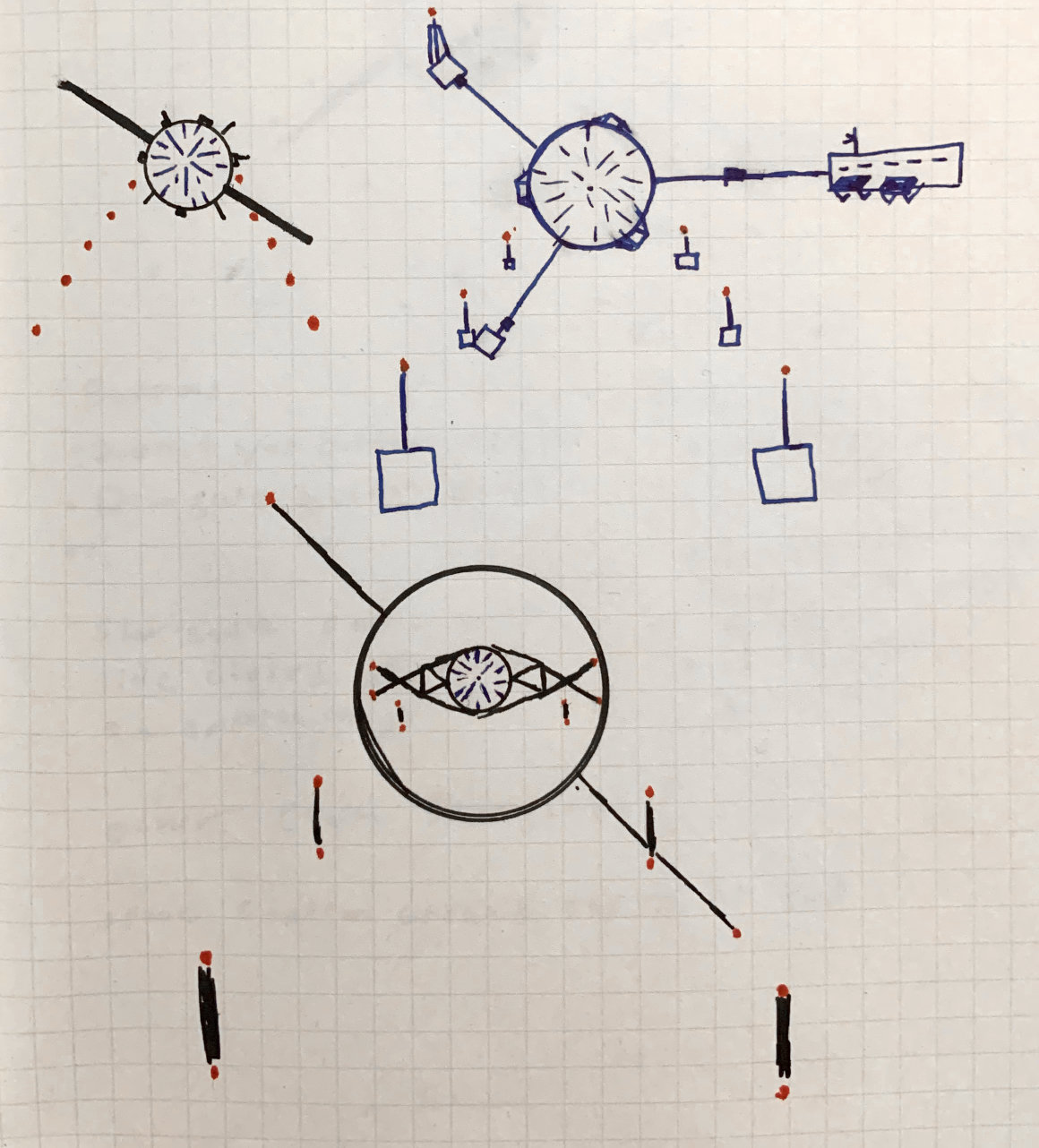
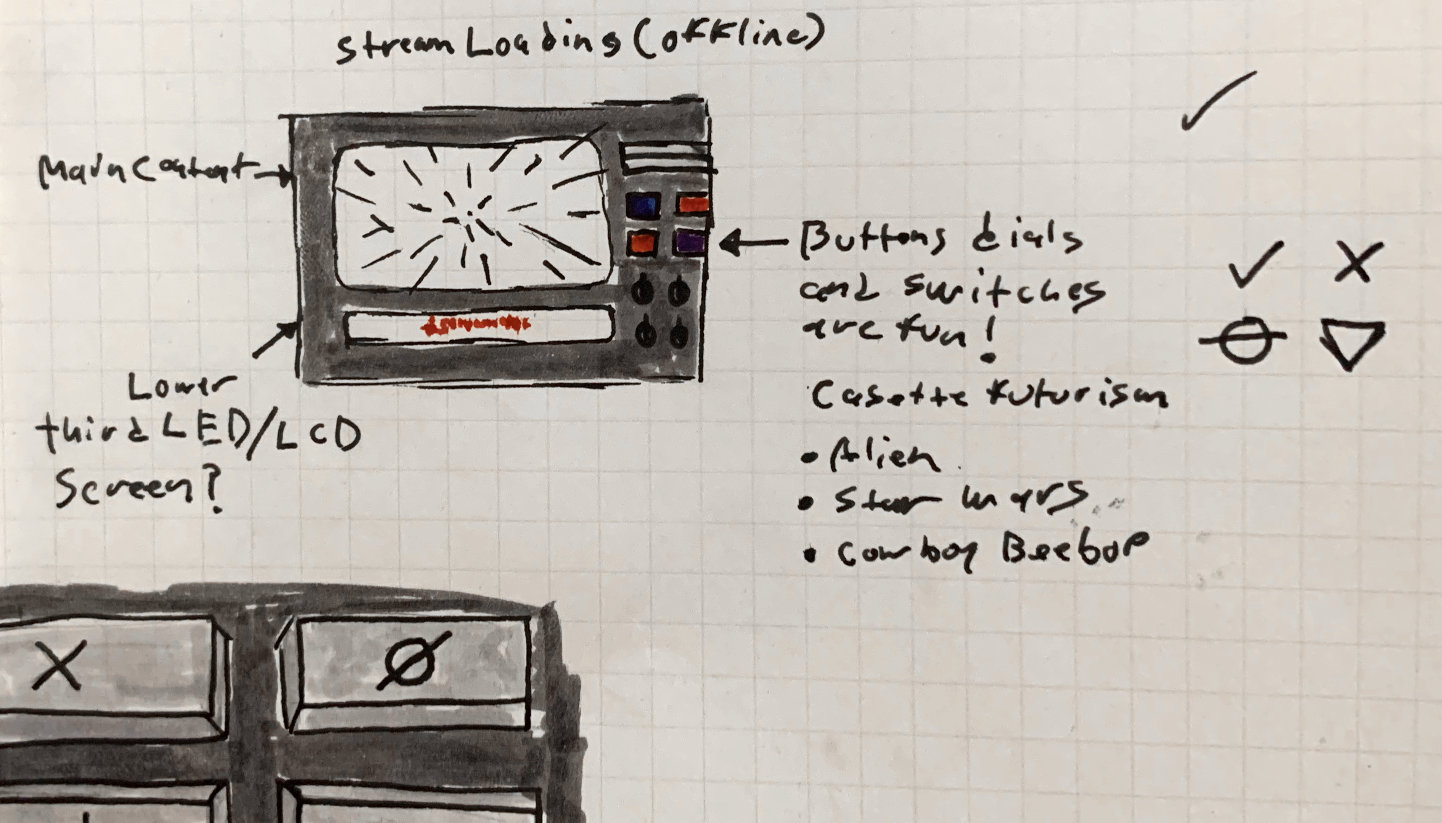
&lt;p&gt;I began this project by creating a mood board of cassette futurism inspired images based on the project brief and initial call I had with Hypha. After the direction was wholeheartedly approved, I created some initial sketches and a rough animatic of the intro sequence.&lt;/p&gt;
&lt;figure&gt;
  &lt;img src=&quot;/img/projects/whats-at-stake/stargate-drawings.jpg&quot; alt=&quot;Concept sketches for the stargate&quot;&gt;
  &lt;figcaption&gt;&quot;Hey! This kinda looks like the &apos;O&apos; in the Cosmos logo! Maybe I should flip it and actually make that intentional...&quot;&lt;/figcaption&gt;
&lt;/figure&gt;
&lt;p&gt;&lt;img src=&quot;/img/projects/whats-at-stake/panel-drawings.jpg&quot; alt=&quot;Drawn concepts for the intro control panel&quot;&gt;&lt;/p&gt;
&lt;div class=&quot;iframe&quot; style=&quot;aspect-ratio: 16 / 9; position:relative;&quot;&gt;&lt;iframe src=&quot;https://player.vimeo.com/video/721631987?h=4d87338754&amp;color=B92B29&amp;portrait=0&quot; style=&quot;position:absolute;top:0;left:0;width:100%;height:100%;&quot; frameborder=&quot;0&quot; allow=&quot;autoplay; fullscreen; picture-in-picture&quot; allowfullscreen&gt;&lt;/iframe&gt;&lt;/div&gt;&lt;script src=&quot;https://player.vimeo.com/api/player.js&quot;&gt;&lt;/script&gt;
&lt;p&gt;This crummy prototype was created as a proof of concept in about a day. I really like &lt;a href=&quot;https://youtu.be/IoRV6UBFSRM?t=86&quot;&gt;Mike Diva’s approach&lt;/a&gt;, of creating the crappiest pre-vis version as fast as possible to get things out of your head and test if they will work for real. Then move forward knowing that what you want to do will work or change it accordingly. The point being, don’t judge my sub-par drawings too hard. ;)&lt;/p&gt;
&lt;h2&gt;Final stills&lt;/h2&gt;
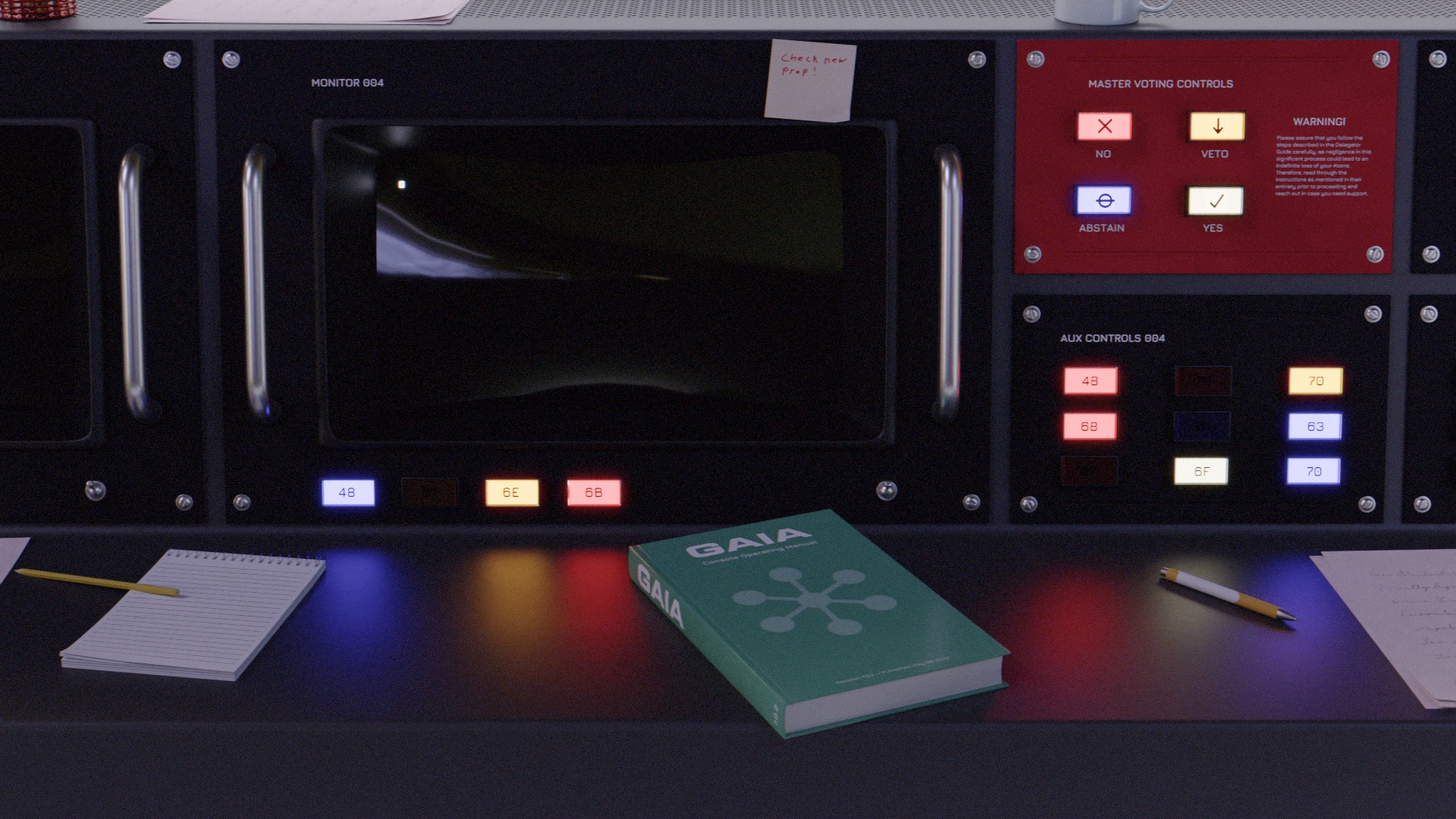
&lt;p&gt;&lt;img src=&quot;/img/projects/whats-at-stake/console.avif&quot; alt=&quot;Control panel console&quot;&gt;&lt;/p&gt;
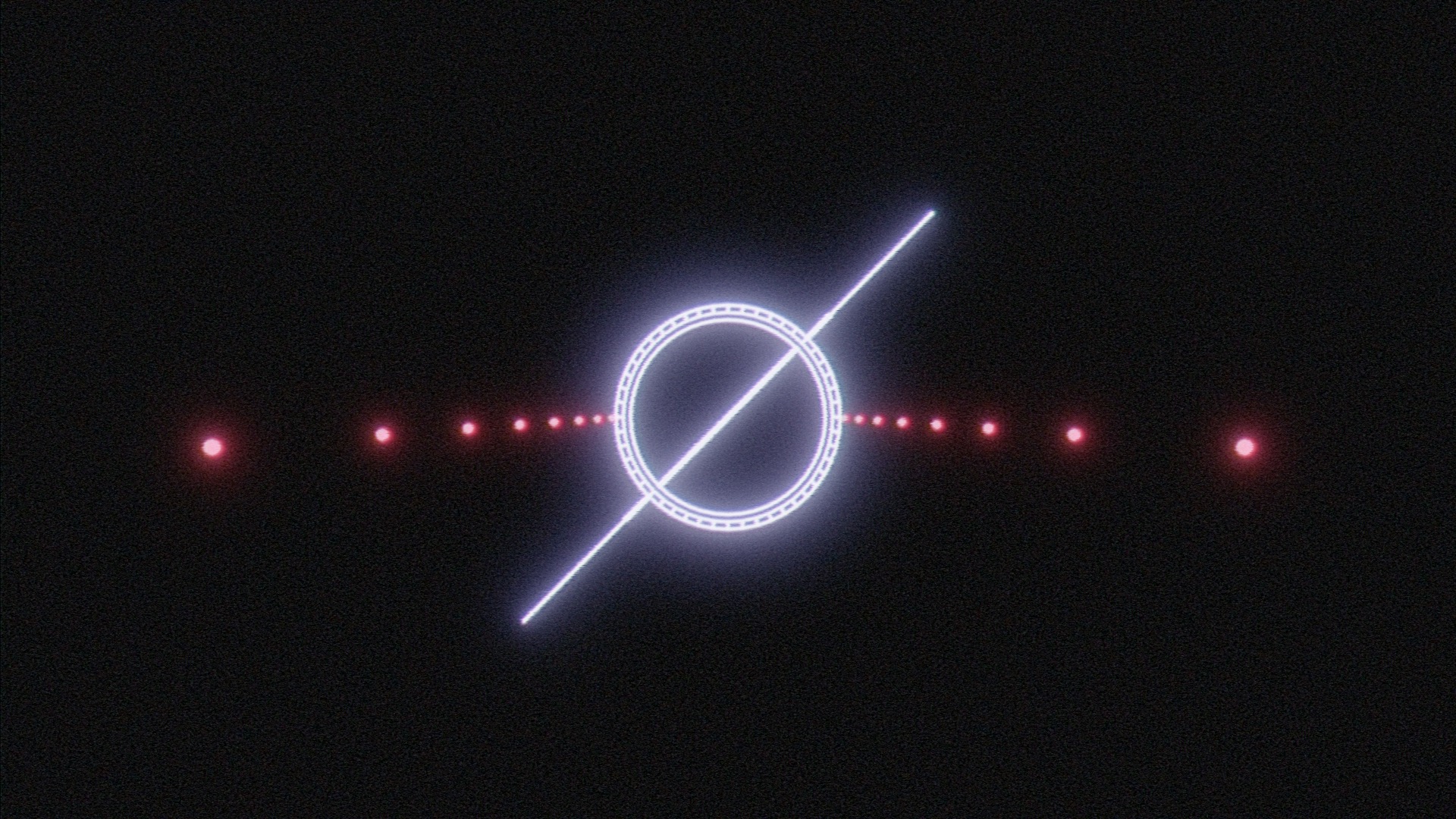
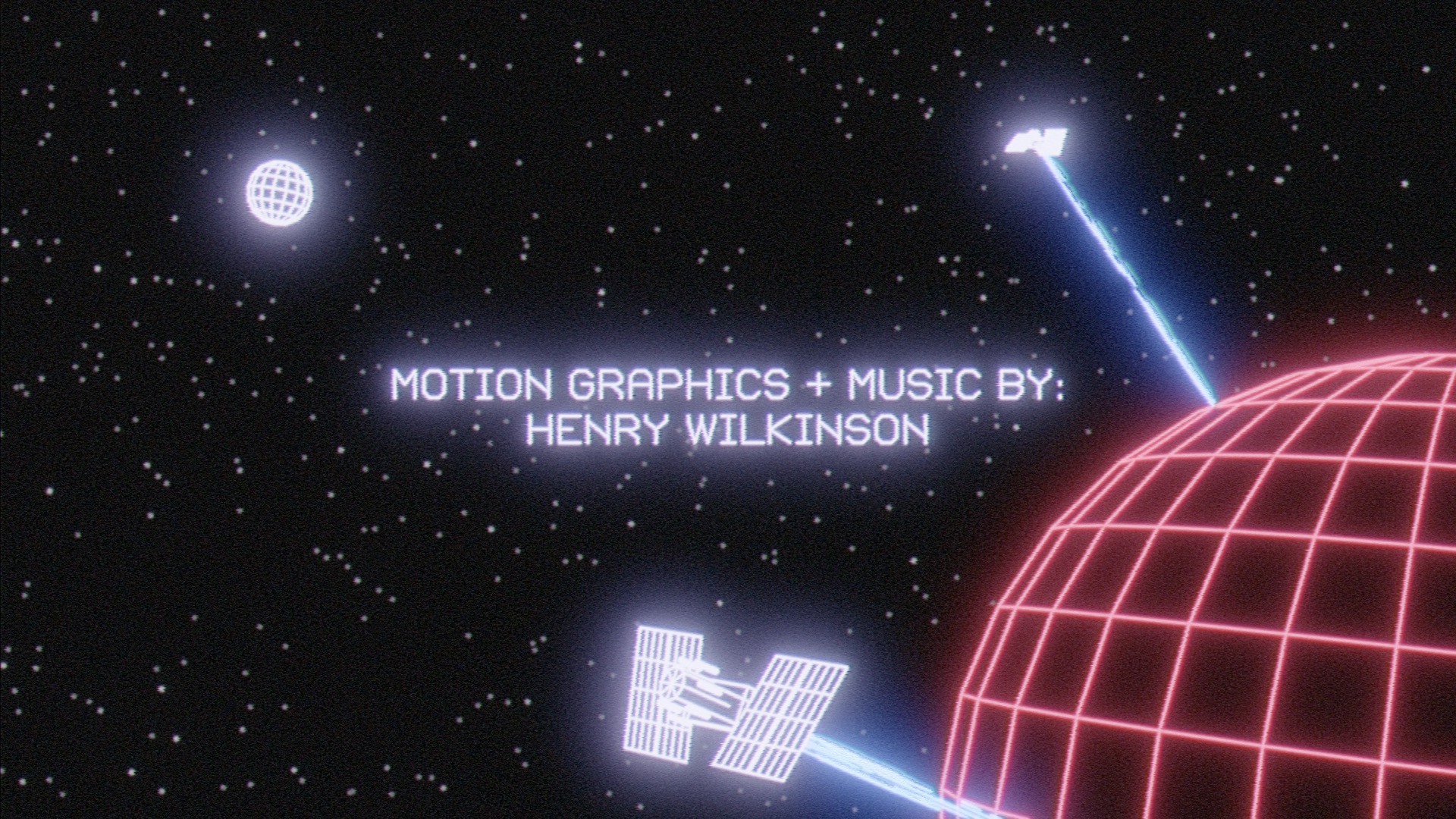
&lt;p&gt;&lt;img src=&quot;/img/projects/whats-at-stake/stargate.avif&quot; alt=&quot;Stargate rendered in a 1980s CG line art style&quot;&gt;&lt;/p&gt;
&lt;p&gt;&lt;img src=&quot;/img/projects/whats-at-stake/lightspeed.avif&quot; alt=&quot;Hyperspeed space effect rendered in a 1980s CG line art style&quot;&gt;&lt;/p&gt;
&lt;p&gt;&lt;img src=&quot;/img/projects/whats-at-stake/hosts.avif&quot; alt=&quot;A planet with rings rendered in a 1980s CG line art style&quot;&gt;&lt;/p&gt;
&lt;p&gt;&lt;img src=&quot;/img/projects/whats-at-stake/motion-graphics.avif&quot; alt=&quot;A planet being terraformed with lasers rendered in a 1980s CG line art style&quot;&gt;&lt;/p&gt;
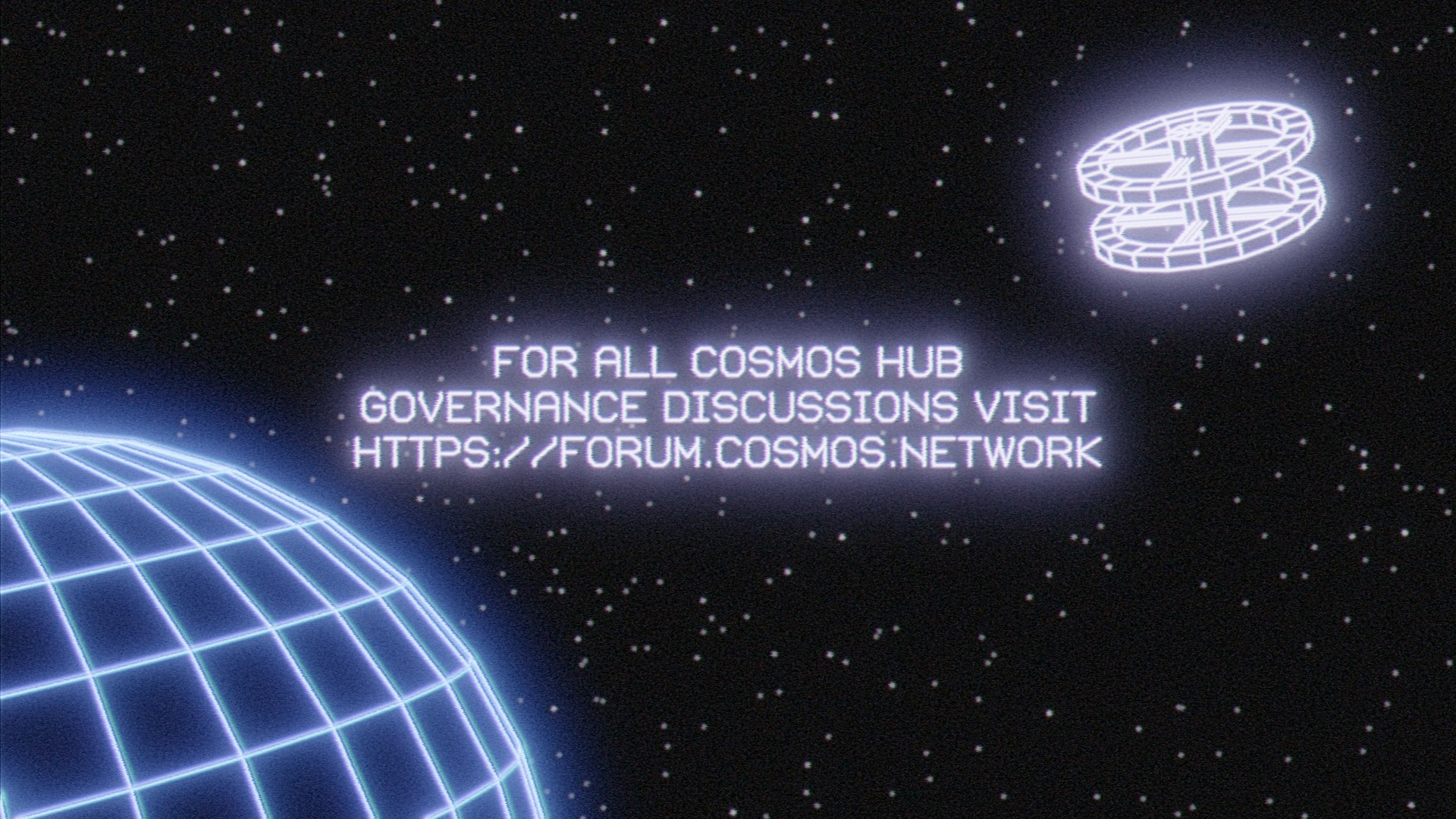
&lt;p&gt;&lt;img src=&quot;/img/projects/whats-at-stake/forum-link.avif&quot; alt=&quot;A planet and the space station from &amp;quot;2001: A Space Odyssey&amp;quot; rendered in a 1980s CG line art style&quot;&gt;&lt;/p&gt;
&lt;h2&gt;Type&lt;/h2&gt;
&lt;p&gt;This project makes use of &lt;a href=&quot;https://github.com/ossobuffo/jura&quot;&gt;Jura&lt;/a&gt; and &lt;a href=&quot;https://lineto.com/typefaces/vectrex&quot;&gt;Vectrex&lt;/a&gt;. Vectrex was an obvious choice, it’s based on the characters from vector displays and is made entirely of mono-linear strokes making it a perfect fit for the rest of the CG line art elements. I can’t any take credit for finding it though, for that 100 points go tow my friend &lt;a href=&quot;https://marier.design/&quot;&gt;Valery Marier&lt;/a&gt; for pointing me in the right direction! Val is very cool and she knows her typefaces.&lt;/p&gt;
&lt;p&gt;Jura is a slightly more technical choice. I wanted something similar to Eurostyle (the retro-fusturism classic) that looked like it could have lived on old electronic equipment. I also wanted a typeface that Hypha’s members could use without worrying too much about licensing issues. I’m a big believer in using boutique fonts for display purposes and you’ll get no complaints from me about compensating typeface designers for their work — unfortunately Hypha has no full time designer on staff who can coordinate licensing and so I have set up the organization to use Jura for all show related material that doesn’t consist of graphics that I’m making in order to mitigate licensing issues. That’s not to say I would have necessarily opted for another typeface had I not found Jura however, I think it’s aesthetically compatible and delivers a reasonable range of typesetting features! It also has an ampersand… Something that cannot be said for Vectrex. 🙃&lt;/p&gt;
&lt;h2&gt;Branding&lt;/h2&gt;
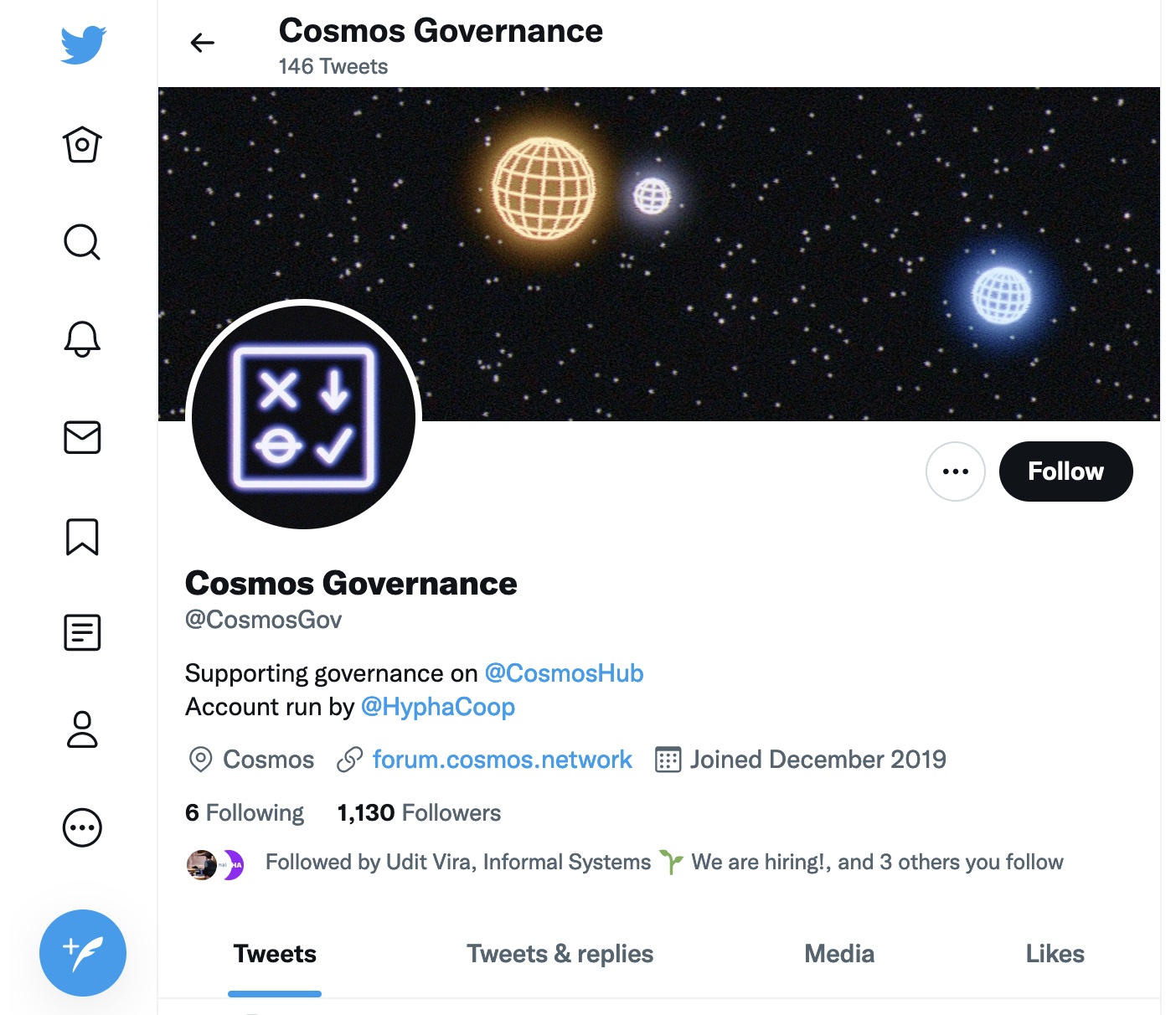
&lt;p&gt;While &lt;em&gt;What’s At Stake&lt;/em&gt; was set with its funky Vectrex logotype, a bigger question remained for &lt;a href=&quot;https://twitter.com/CosmosGov&quot;&gt;@CosmosGov&lt;/a&gt; which also needed a new coat of paint: How does one create a symbol that embodies the concept of “governance”?&lt;/p&gt;
&lt;p&gt;&lt;img src=&quot;/img/projects/whats-at-stake/branding.jpg&quot; alt=&quot;The &amp;quot;What&apos;s At Stake&amp;quot; wordmark and Cosmos Governance logomark&quot;&gt;&lt;/p&gt;
&lt;p&gt;I ended up drawing upon Cosmos’ voting system for proposals that change how the network operates. When voting on Cosmos proposals, stakeholders have the options of: Yes, No, Abstain, and No with Veto. While “No with Veto” is probably the most difficult option to create an icon out of, I think the other 3 are all reasonably recognizable among the crowd the mark is aimed at. The retro glowing line art aesthetic is used across both to tie them together.&lt;/p&gt;
&lt;p&gt;&lt;img src=&quot;/img/projects/whats-at-stake/cosmos-gov-twitter.jpg&quot; alt=&quot;Screenshot of the Cosmos Governance Twitter account&quot;&gt;&lt;/p&gt;
&lt;h2&gt;Process, pipeline, and technical information&lt;/h2&gt;
&lt;p&gt;A while ago I switched from Maya to Blender as my primary 3D content creation application. That decision has since paid off immensely! One of my reasons for doing this was the amount of community created resources &amp;amp; tools that exist for Blender — the volume of which I haven’t seen matched by other packages (&lt;em&gt;maybe&lt;/em&gt; Nuke?). Having these resources available as a one man operation is huge. $10 on Gumroad can save a &lt;em&gt;lot&lt;/em&gt; of time.&lt;/p&gt;
&lt;p&gt;This project made use of &lt;a href=&quot;https://mrmotarius.itch.io/mrmocrt&quot;&gt;MRMO-CRT&lt;/a&gt;, a lovely looking CRT shader created by Stefan Bogdanovic. I’ve created shaders in Blender that replicate display technology before, but this one seemed to do a great job at mimicking most of the characteristics of CRTs, for the most part I recommend it highly! The one somewhat inconvenient issue posed by the version of the shader I used is that it makes use of Blender’s Shader to RGB node which only works in the Eevee render engine. All shots with the CRT in it were rendered in two passes, one of just the screen in Eevee, and another in Cycles with an emissive, reflective material that wasn’t visible to camera rays but was visible in bounce lighting to get the accurate reflections from the monitor.&lt;/p&gt;
&lt;p&gt;This is also a notable project for me because it marks the first freelance job where &lt;em&gt;none of the content&lt;/em&gt; has been created with an Adobe program. I’ve been mostly enjoying Serif’s Affinity suite and while there are some tools that I miss, I’ve largely been having a good time expanding my workflows with new programs and their different approaches.&lt;/p&gt;
&lt;h3&gt;Freestyle&lt;/h3&gt;
&lt;p&gt;I’m no stranger to line art in Blender. While working on &lt;a href=&quot;https://www.imdb.com/title/tt15432592/&quot;&gt;Perfect Restaurant&lt;/a&gt;, Aiken and I switched our entire film to Blender’s new (at the time) Grease Pencil line art modifier which allowed for smooth, uniform lines to be drawn overtop our characters from the camera’s perspective. Grease Pencil is an excellent and powerful animation tool but part of what makes it great is that it draws the strokes as 3D objects in 3D space — exactly what the vector displays and early 3D line art graphics that I wanted to emulate &lt;em&gt;didn’t&lt;/em&gt; do.&lt;/p&gt;
&lt;p&gt;Blender’s line art shader also wasn’t what I was looking for. Like Grease Pencil it sets its line thickness in 3D, and it draws the triangulated mesh, not the quads (which IMO detracts from the line-art look but your mileage may vary).&lt;/p&gt;
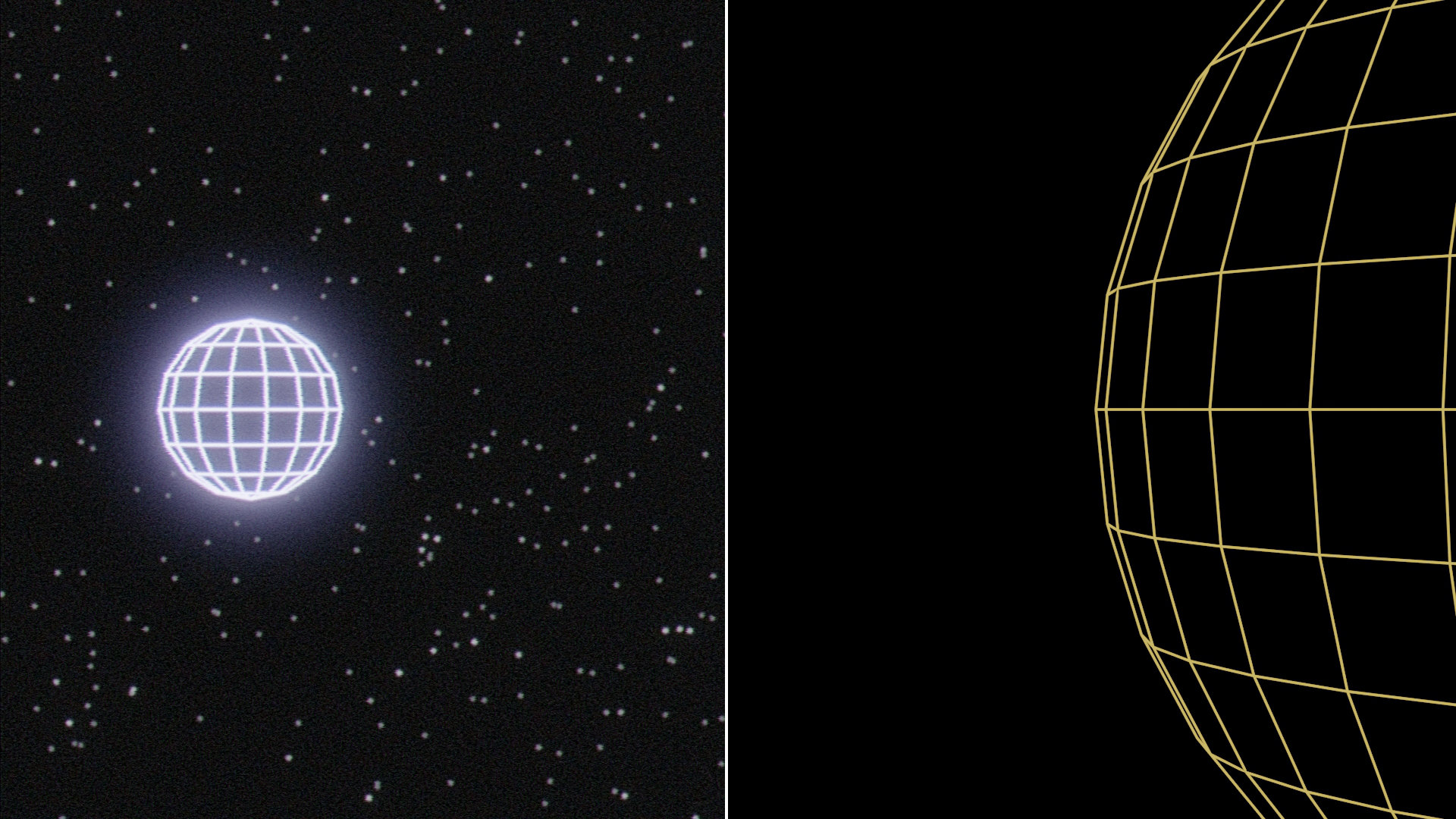
&lt;p&gt;On the other hand, Blender’s Freestyle render pass draws its lines in &lt;em&gt;screen space&lt;/em&gt; meaning that line thickness is determined in pixels and by default its lines won’t get smaller with proper perspective as the camera moves away from objects. Neat! Some optimization was required for the light-speed effect as Freestyle seems to struggle when you give it too much geometry to look at. It’s also currently single-core bound. With those small caveats accounted for however, I was very happy with the results it produced.&lt;/p&gt;
&lt;figure&gt;
  &lt;img-comparison-slider&gt;
    &lt;img slot=&quot;first&quot; src=&quot;/img/projects/whats-at-stake/pre-comp.avif&quot; alt=&quot;The graphic before being run through Nuke, none of the lines glow&quot;/&gt;
    &lt;img slot=&quot;second&quot; src=&quot;/img/projects/whats-at-stake/post-comp.avif&quot; alt=&quot;The graphic after being run through Nuke, all of the lines glow, the image has subtle distortion and noise, and the bakcground is full of stars.&quot; /&gt;
  &lt;/img-comparison-slider&gt;
  &lt;figcaption&gt;Comparison of the image straight out of Blender&apos;s Freestyle render engine and the final composite. Stars were created in Nuke based on random noise&lt;/figcaption&gt;
&lt;/figure&gt;
&lt;h3&gt;Everything I wanted to avoid&lt;/h3&gt;
&lt;p&gt;I hate being the guy who throws other people’s work under the bus, but unfortunately the logo for Edgar Wright’s &lt;em&gt;Last Night In Soho&lt;/em&gt; is a perfect example of every possible issue I strive to avoid when creating images with high intensity glows.&lt;/p&gt;
&lt;figure&gt;
    &lt;img src=&quot;/img/projects/whats-at-stake/last-night-example.png&quot; alt=&quot;Last Night In Soho film logo representing a neon sign, the brightness looks clipped and it doesn&apos;t look realistically composited overtop this website&apos;s light background despite the image having a transparent background.&quot;/&gt;
  &lt;figcaption&gt;© 2021 Focus Features&lt;/figcaption&gt;
&lt;/figure&gt;
&lt;p&gt;There are three major mistakes here:&lt;/p&gt;
&lt;ol&gt;
&lt;li&gt;The actual glowing light pixels have an alpha associated with them. Light has no mass and photons cannot occlude objects, they can just hit the camera sensor and produce a brighter pixel than any photons coming from objects behind the emissive point light source. On this website the “glowing” PNG is composited overtop a white background but we can observe here that the glowing light appears darker than the background itself! Why? We’re adding more light to the scene!? PNG is actually a broken model here as it is incapable of encoding a pixel where RGB has a value but A does not. Other formats like EXR and TIFF do not suffer from this limitation and any pixels where RGB &amp;gt; 0 &amp;amp; A = 0 will be added to the values of any pixels composited behind instead of composited with an alpha over operation. TL;DR: PNG is incapable of encoding a glowing object correctly. In order to do this the “right” way on the web you would require a PNG of the solid objects and another image format set to the “plus” blend mode that just has the glow effect over black. This results in the glow actually looking &lt;em&gt;darker&lt;/em&gt; than the light background of this website!&lt;/li&gt;
&lt;li&gt;This was probably done in a program that deals with 8 or 16 bit integer pixels. The core of high intensity glowing objects is usually quite bright but sub 32 bit floating point colour is unfortunately incapable of rendering anything past its fixed intensity of 255 (white). 32 bit software however will let one blow past what is traditionally defined as “white” and enable the accurate high intensity core with physically plausible values. These high intensity linear light RGB values will then have to be compressed by a Display Rendering Transform to nicely fit into a colourspace and set of values that your monitor can display. This hasn’t been done with this image and as a result the glow effect looks more like a blur.&lt;/li&gt;
&lt;li&gt;The “Notorious 6” colour clipping problem that is created due to graphics programs not being configured to nicely deal with high intensity RGB values and fail to blow them out to white as they become incredibly bright. More on this below.&lt;/li&gt;
&lt;li&gt;As a bonus, the bottom left corner is cut off! Oof!&lt;/li&gt;
&lt;/ol&gt;
&lt;p&gt;If you’re reading this Edgar, big fan of your work. This stuff is difficult (impossible with PNG) to get right! No hard feelings?&lt;/p&gt;
&lt;h3&gt;How I worked around these issues&lt;/h3&gt;
&lt;p&gt;After previous struggles with ACES and stumbling across &lt;a href=&quot;https://chrisbrejon.com/articles/ocio-display-transforms-and-misconceptions/#aces&quot;&gt;some of its limitations&lt;/a&gt; I was pleased to have a chance to try out Troy Sobotka’s &lt;a href=&quot;https://github.com/sobotka/AgX&quot;&gt;AgX config&lt;/a&gt;. As explained in Chris Brejon’s excellent article (linked above), digital RGB has a tendency to skew towards six hues: red, green, blue, cyan, magenta, and yellow. In most colour management workflows popular today, one cannot achieve a desirable “path to white” by simply increasing the values of a pixel, colours will often converge towards one of the aforementioned “Notorious 6” hues. Troy’s config attempts to mitigate this issue and in my humble opinion, does a great job of it!&lt;/p&gt;
&lt;figure&gt;
  &lt;img-comparison-slider&gt;
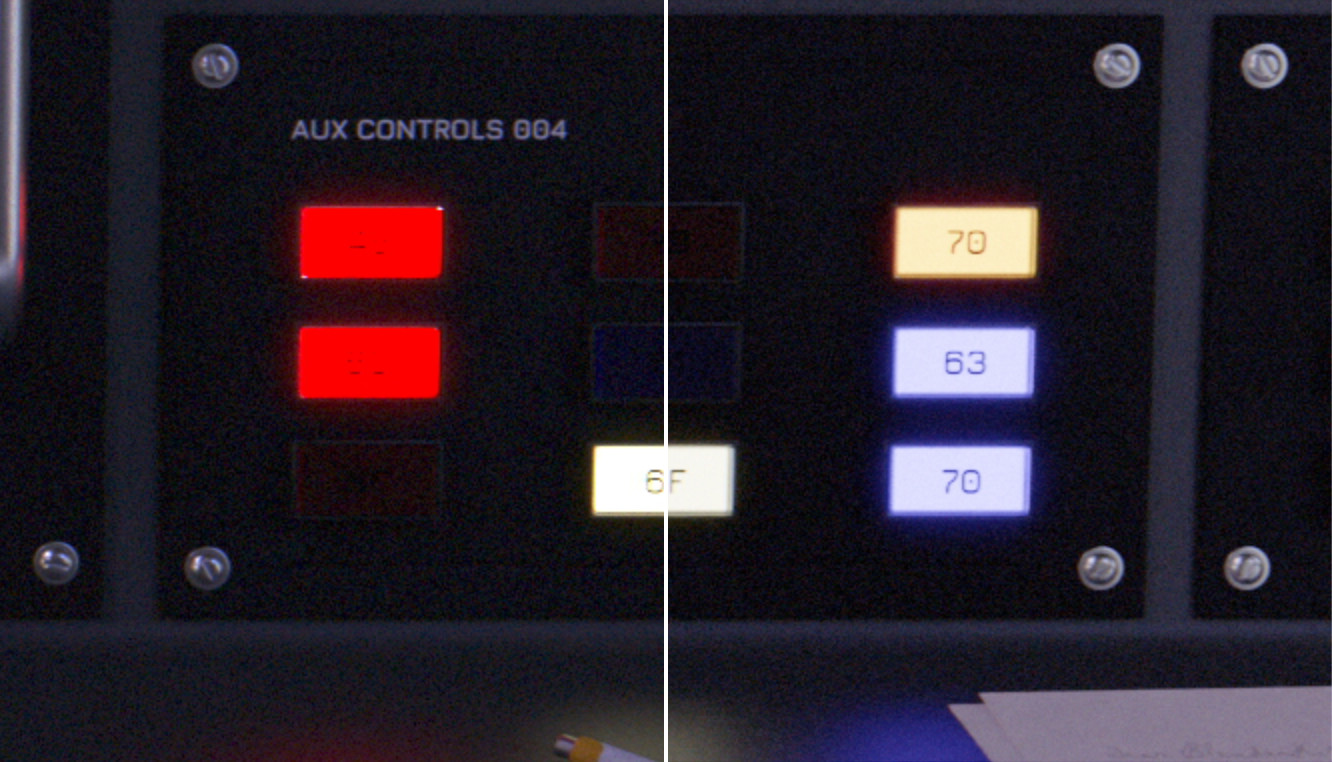
    &lt;img slot=&quot;first&quot; src=&quot;/img/projects/whats-at-stake/agx-off.avif&quot; alt=&quot;Glowing buttons that appear to have clipped brightness (Nuke&apos;s default config)&quot;/&gt;
    &lt;img slot=&quot;second&quot; src=&quot;/img/projects/whats-at-stake/agx-on.avif&quot; alt=&quot;Glowing buttons that look correct (AgX)&quot; /&gt;
  &lt;/img-comparison-slider&gt;
  &lt;figcaption&gt;sRGB (left) vs AGX BT.1886 (right). Note how crappy the high intensity coloured glowing buttons look with Nuke&apos;s default config!&lt;/figcaption&gt;
&lt;/figure&gt;
&lt;p&gt;This is specifically one part of my pipeline for creating these types of graphics that I think changed in a subtle but valuable way. If you view my past &lt;a href=&quot;/projects/2001/&quot;&gt;2001 infographic project&lt;/a&gt; you may find that while the white lines look pretty good, the red and yellow lines look kind of clamped by their hues and look a bit like the red buttons on the left in the image above. This artifact is no longer present when using AgX and while that look may be desirable sometimes, it can also be achieved in AgX with saturation adjustments or by selecting one of Troy’s predetermined “looks”. The important distinction being that it’s now a &lt;em&gt;creative choice&lt;/em&gt; and not a &lt;em&gt;technological limit&lt;/em&gt;.&lt;/p&gt;
&lt;h3&gt;Music&lt;/h3&gt;
&lt;p&gt;Woah! You stuck around past the long-winded explanation end of post learning section! Here’s a bonus :)&lt;/p&gt;
&lt;p&gt;Custom music wasn’t in the initial brief but I &lt;em&gt;also&lt;/em&gt; wound up writing two original tracks for this project and re-purposing a third (Keep The Web Accessible) that I originally wrote for a different unreleased project. They’re short, synthy, and fun! Check em out below or download them for free on Bandcamp.&lt;/p&gt;
&lt;div class=&quot;w-full flex justify-center&quot;&gt;
  &lt;iframe style=&quot;width: 100%; max-width: 700px; height: 241px;&quot; class=&quot;border-2 border-black&quot; src=&quot;https://bandcamp.com/EmbeddedPlayer/album=2707307973/size=large/bgcol=ffffff/linkcol=0687f5/artwork=small/transparent=true/&quot; seamless&gt;&lt;a href=&quot;https://hankmakesstuff.bandcamp.com/album/whats-at-stake-original-soundtrack&quot;&gt;What&amp;#39;s At Stake Original Soundtrack by Henry Wilkinson&lt;/a&gt;&lt;/iframe&gt;
&lt;/div&gt;</content:encoded><category>Branding</category><category>Motion</category><author>Henry Wilkinson</author></item><item><title>Toronto Mesh</title><link>https://wilkinson.graphics/projects/toronto-mesh/</link><guid isPermaLink="true">https://wilkinson.graphics/projects/toronto-mesh/</guid><description>Raising the bar for community network branding</description><pubDate>Tue, 20 Apr 2021 04:00:00 GMT</pubDate><content:encoded>&lt;p&gt;I’ve been involved with &lt;a href=&quot;https://tomesh.net/&quot;&gt;Toronto Mesh&lt;/a&gt; since 2017 and up until recently branding hasn’t been a terribly high priority. The same seems to be true for community networks in general, at first glance most of them don’t seem to have the same branding capabilities as their for-profit counterparts. Some of this is to be expected, after all community networks are defined by the people and technology they are composed of — perhaps designers aren’t drawn to them in the same ways that they aren’t typically drawn to the open-source community. As of 2021, most community networks and mesh-centric community groups do not have established sets of brand guidelines — at least not ones that are publicly available. With the creation of these my goal was to set a new standard for what outward-facing material from these organizations can look like and give further credibility to community networks overall.&lt;/p&gt;
&lt;h2&gt;Logo&lt;/h2&gt;
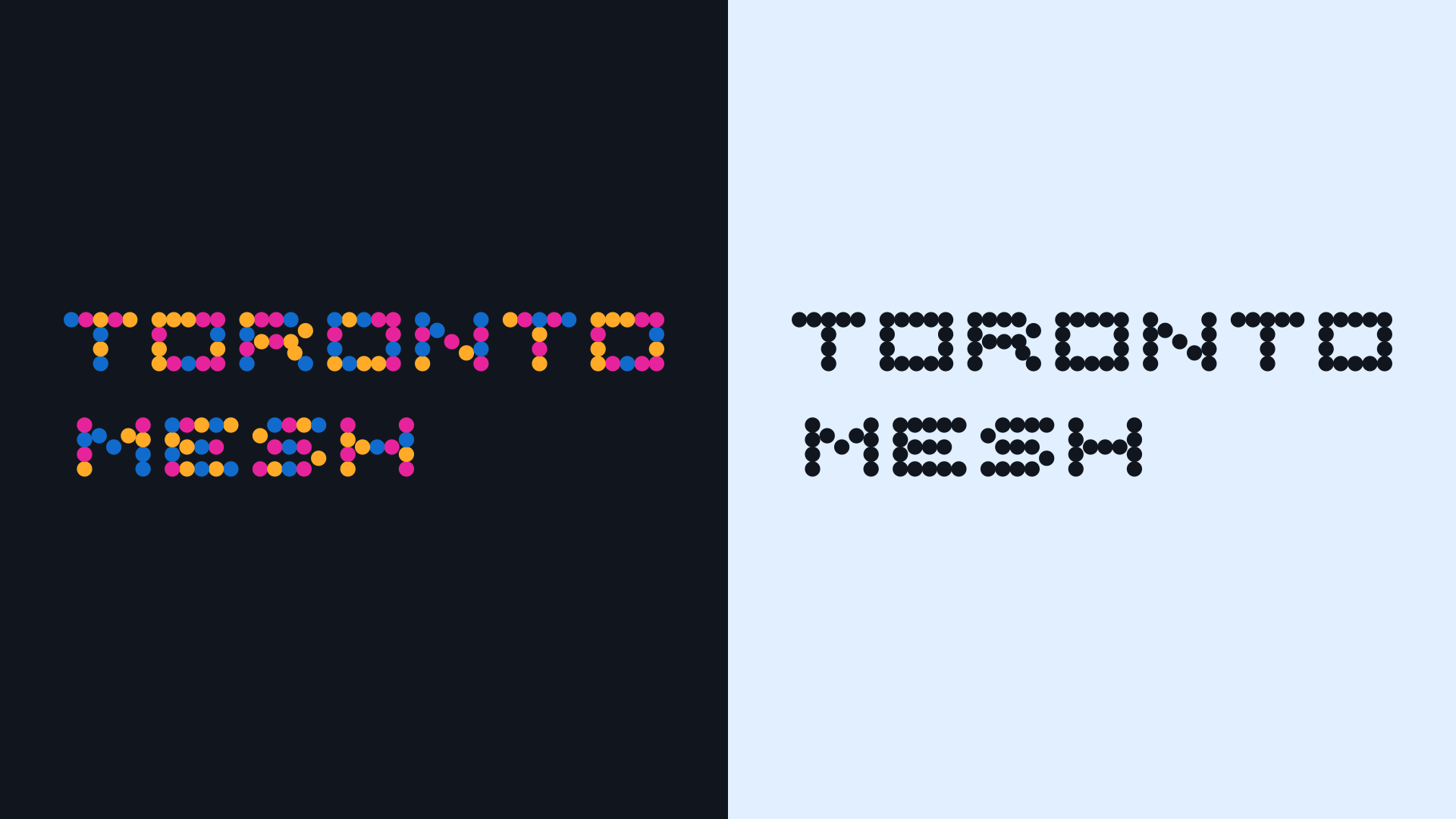
&lt;p&gt;For this brand I wanted to avoid any explicit references to the wifi logo which is the obvious first image that comes to mind when thinking of wireless networking. Toronto Mesh is seeking to build a community network, not just give away free wifi. The logo system comprises a typographic logotype as well as a logomark, both of which share the same overlapping circles with randomized colours inspired by the overlapping nature of mesh networks, dot matrix printers, and the many multifaceted community driven approaches to building networks in the commons. The logotype should be used wherever possible whereas the logomark should only be used in places that the full logo isn’t well suited for. Both logos can have their colours randomized on use for added variety.&lt;/p&gt;
&lt;p&gt;&lt;img src=&quot;/img/projects/toronto-mesh/logotype.svg&quot; alt=&quot;Multiple dots arranged to form letters spelling &amp;quot;Toronto Mesh&amp;quot;&quot;&gt;&lt;/p&gt;
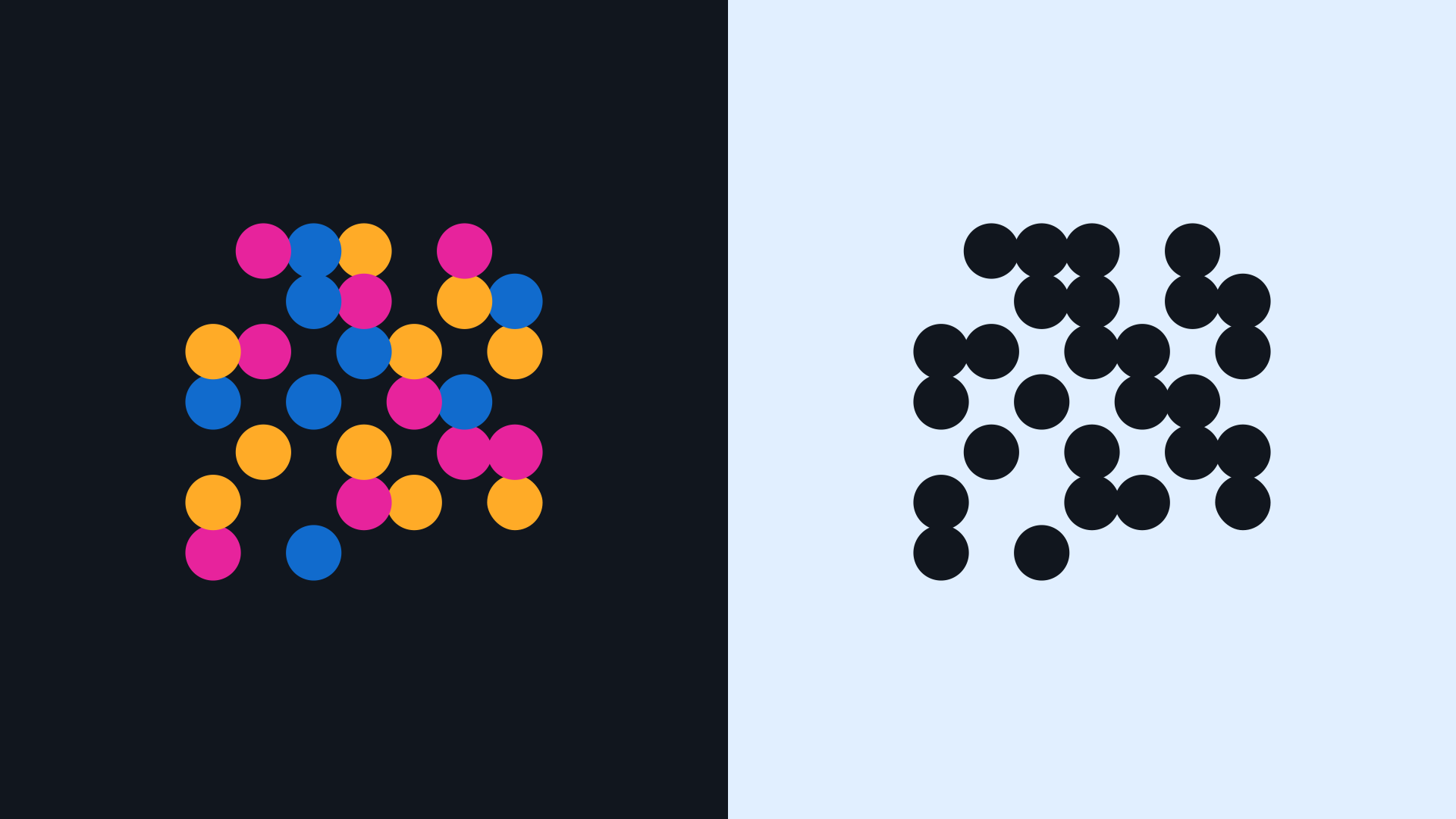
&lt;p&gt;While still making use of the same dot-matrix inspired aesthetic and colour palette, the logomark is significantly more abstract. It does contain a nifty easter egg however! When the absent spaces and filled circles are interpreted as binary (absent=0, filled=1) and converted to ASCII characters, the logomark actually spells “tomesh”. Neat!&lt;/p&gt;
&lt;figure&gt;
&lt;img src=&quot;/img/projects/toronto-mesh/logomark.svg&quot; alt=&quot;Multiple dots arranged in a grid pattern, some are missing&quot;&gt;
&lt;figcaption&gt;Toronto Mesh Logomark&lt;/figcaption&gt;
&lt;/figure&gt;
&lt;h2&gt;Dithering&lt;/h2&gt;
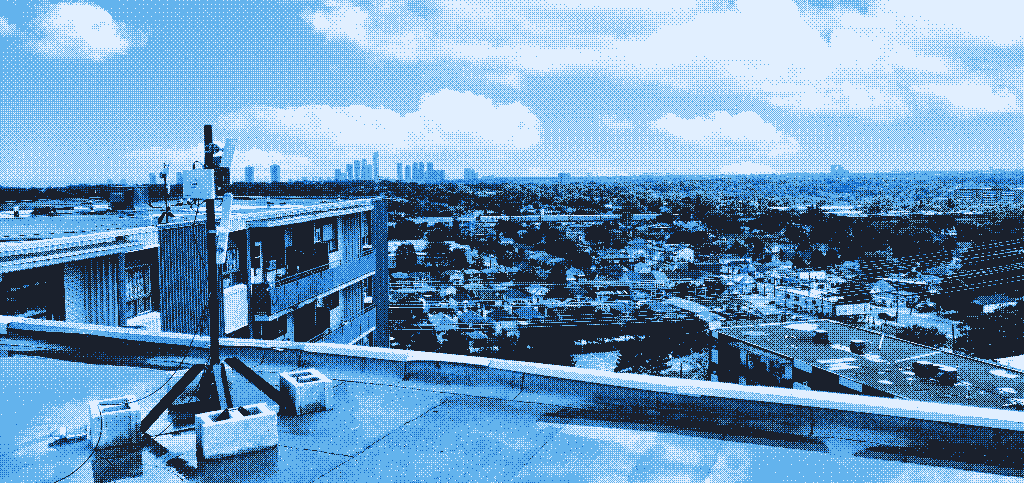
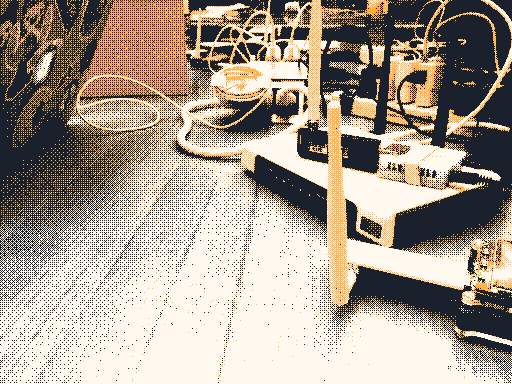
&lt;img class=&quot;rendering-pixelated&quot; src=&quot;/img/projects/toronto-mesh/hero-image.png&quot; alt=&quot;Dithered photograph of a rooftop antenna&quot;&gt;
&lt;p&gt;From the beginning I wanted to use this project as an opportunity to investigate methods of conforming images to fit an organization’s branding. Lots of brands already do this with patterns, overlays, filters, and with duotone colour processes, but none of these approaches seemed to be the right fit for Toronto Mesh. Inspired by the dithered duotone treatment used by Low-tech Magazine’s &lt;a href=&quot;https://solar.lowtechmagazine.com/&quot;&gt;solar powered website&lt;/a&gt; I decided to do a deep dive into dithering.&lt;/p&gt;
&lt;img class=&quot;rendering-pixelated w-full&quot; src=&quot;/img/projects/toronto-mesh/events-image.png&quot; alt=&quot;Dithered photograph of some wireless hardware on a table&quot;&gt;
&lt;p&gt;To create these images I worked with &lt;a href=&quot;https://www.makeworld.space/&quot;&gt;Cole Anthony Capilongo&lt;/a&gt; to define a standardized dithering process that can be applied to any input image with minimal creative adjustments needed. This process involves bayer matrix dithering with a 4 colour linearized greyscale palette to ensure that any sRGB encoded image can be filtered properly. If we were to dither the image directly with the coloured palette any image with colours that are close to the brand colours would become biased towards them, dithering with greyscale first and then replacing the palette with the desired brand colours as a post-process ensures that they are evenly spread throughout the image based on luminance alone.&lt;/p&gt;
&lt;p&gt;Unfortunately no previous tool existed that could do all these steps within one program and I’m thankful that I was able to get Cole to build the colour palette replacement feature into &lt;a href=&quot;https://github.com/makeworld-the-better-one/didder&quot;&gt;Didder&lt;/a&gt;, his command-line image dithering application. I highly recommend that you check it out if you’re into this kind of image manipulation, it is &lt;em&gt;by far&lt;/em&gt; the most advanced dithering program I’ve ever come across and it’s capable of much more than I’ve used it for here!&lt;/p&gt;
&lt;p&gt;Additional details and a full description of how to accomplish this specific image filtering technique are available in the &lt;a href=&quot;http://wilkinson.graphics/downloads/toronto-mesh-brand-v001.pdf&quot;&gt;brand guidelines document&lt;/a&gt;, while instructions and commands for Didder are not present in this version a close read of the man pages should give you all the information you need to replicate the process! Note that you may need to adjust the strength of the Bayer matrix to achieve the results shown here, somewhere around 40–50% is usually about right.&lt;/p&gt;
&lt;h2&gt;Brand Guidelines &amp;amp; Typography&lt;/h2&gt;
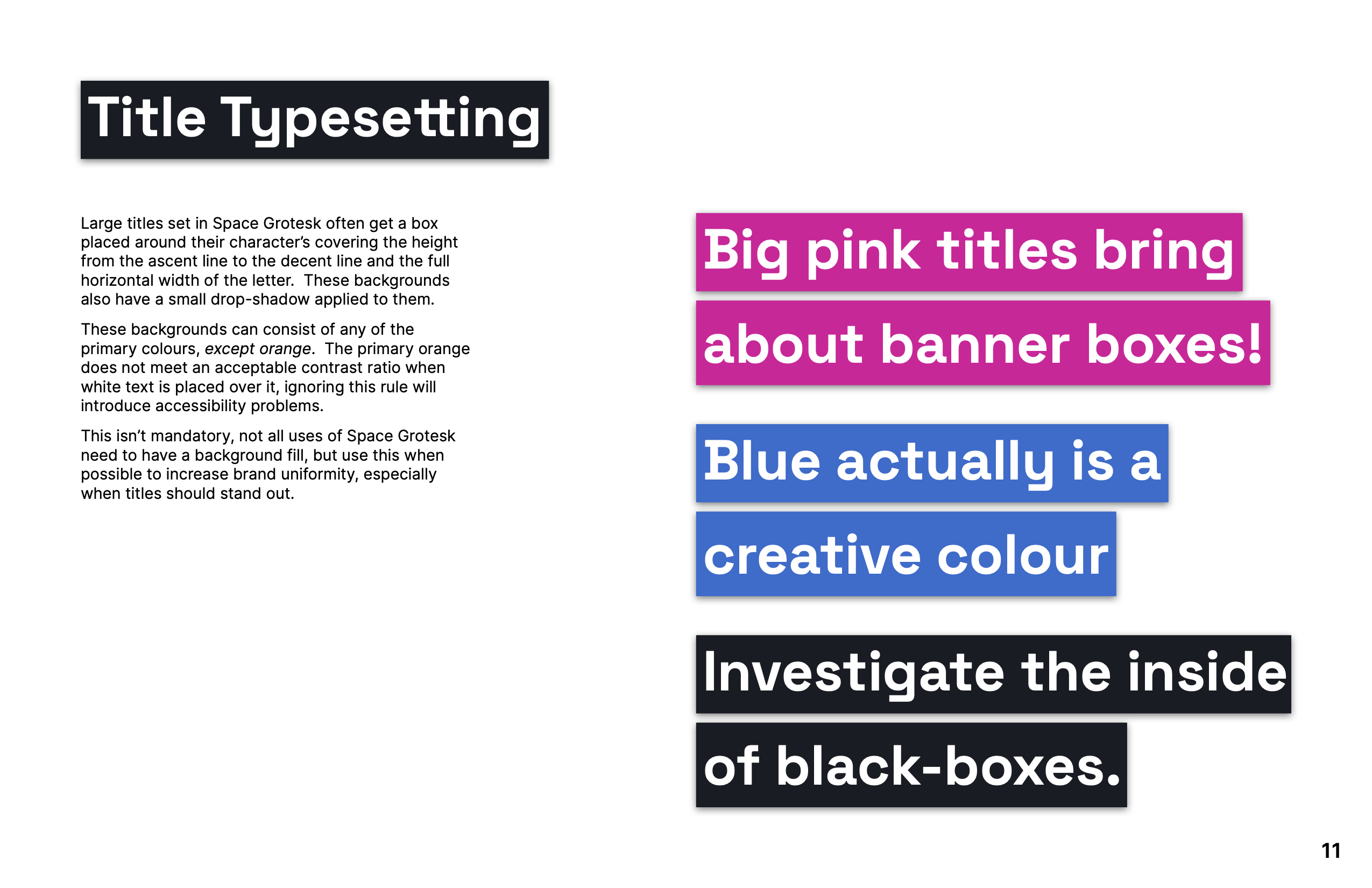
&lt;p&gt;Every good brand is backed by a robust set of guidelines! This document covers everything from logo and colour usage to defined typesetting styles for titles. Being a community group based around open-source it only made sense for Toronto Mesh to use open-source typefaces! I selected &lt;a href=&quot;https://fonts.floriankarsten.com/space-grotesk&quot;&gt;Space Grotesk&lt;/a&gt; for titles and display use cases, and &lt;a href=&quot;https://rsms.me/inter/&quot;&gt;Inter&lt;/a&gt; for body copy (and pretty much everything else). Inter is quite a neutral choice on the surface but its large character set and great Opentype feature support makes it a compelling one… In my opinion anyways, there are certainly edgier fonts out there!&lt;/p&gt;
&lt;p&gt;&lt;img src=&quot;/img/projects/toronto-mesh/guidelines-title.png&quot; alt=&quot;Title typesetting brand guidelines page&quot;&gt;&lt;/p&gt;
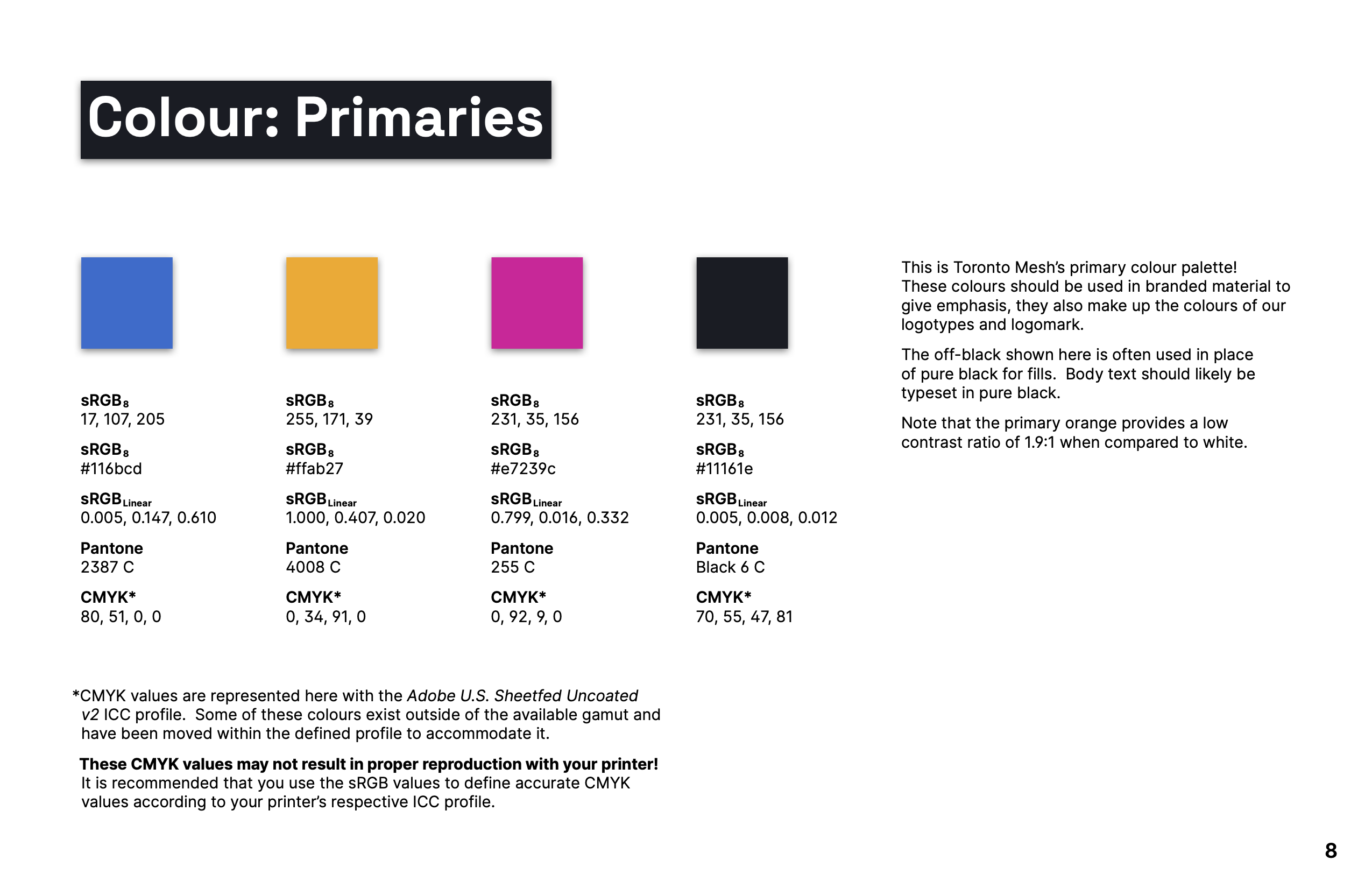
&lt;p&gt;Colours are defined in a myriad of ways including both 8-bit sRGB and linearized floating-point sRGB. I’ve never come across other guidelines that do this and have had many scenarios working in applications that only accept linear values where I have wished that these just be made available officially. I firmly believe that designers should have minimal interactions with colourspace converters when implementing brand colours.&lt;/p&gt;
&lt;p&gt;&lt;img src=&quot;/img/projects/toronto-mesh/guidelines-colour.png&quot; alt=&quot;Colour values brand guidelines page&quot;&gt;&lt;/p&gt;
&lt;p&gt;Download the &lt;a href=&quot;https://f005.backblazeb2.com/file/wilkinson-graphics-corp-public/project-files/toronto-mesh-brand-v001.pdf&quot;&gt;full brand guidelines document&lt;/a&gt; for a more in-depth look!&lt;/p&gt;
&lt;h2&gt;Usage Examples&lt;/h2&gt;
&lt;figure&gt;
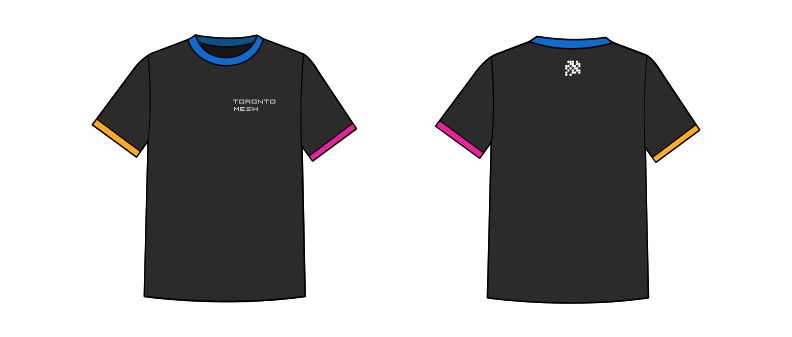
&lt;img src=&quot;/img/projects/toronto-mesh/shirt.svg&quot; alt=&quot;T-Shirt with the full logo on the front and logomark on the back.  The collar and sleeves have brand-coloured edges.&quot;&gt;
&lt;figcaption&gt;Toronto Mesh T-Shirt&lt;/figcaption&gt;
&lt;/figure&gt;
&lt;figure&gt;
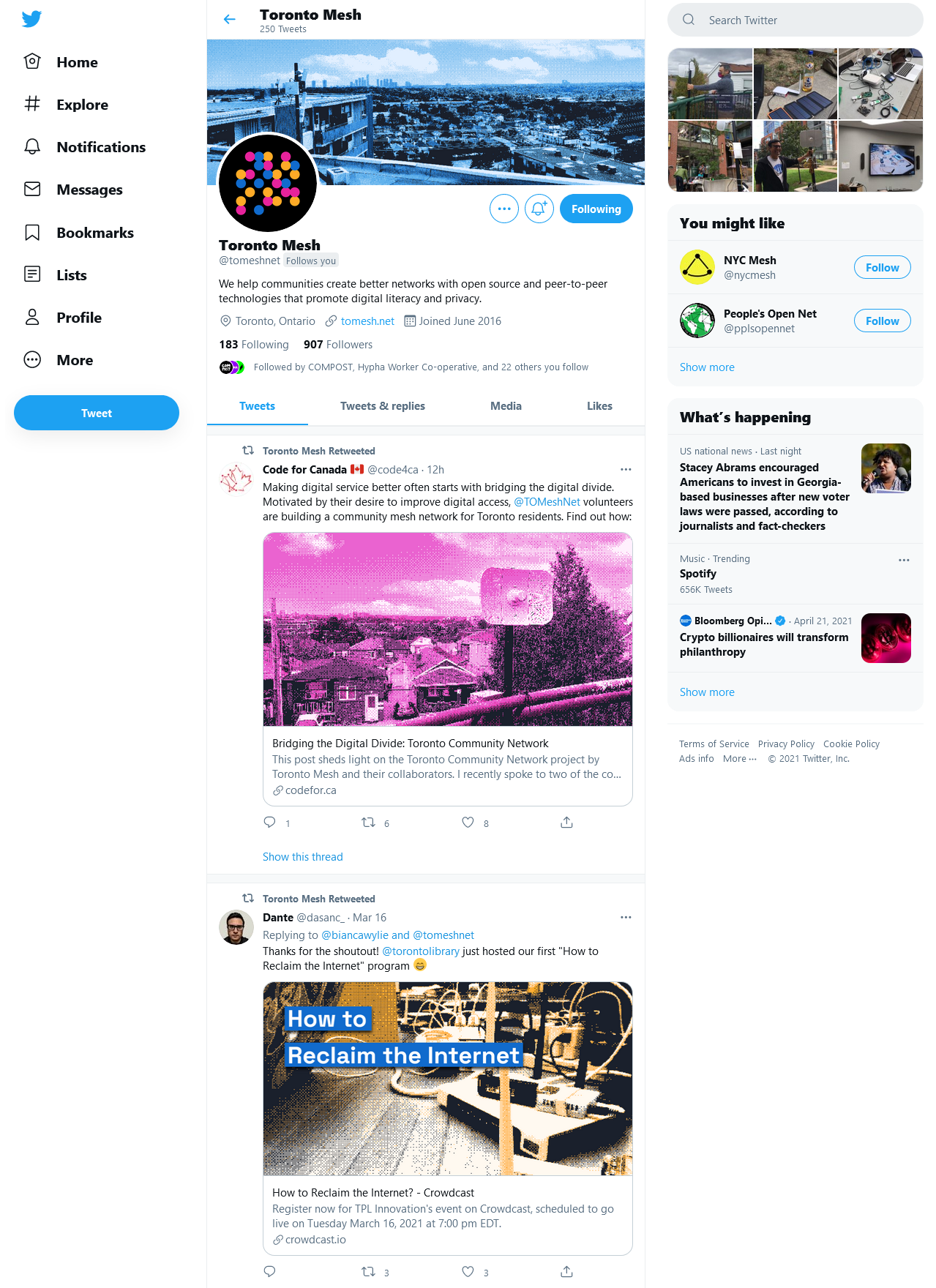
&lt;img src=&quot;/img/projects/toronto-mesh/twitter.avif&quot; alt=&quot;Toronto Mesh Twitter account screenshot with a dithered header image, replaced logo, and other dithered images used for posts.&quot;&gt;
&lt;figcaption&gt;Rebranded Twitter page &amp; social content examples&lt;/figcaption&gt;
&lt;/figure&gt;
&lt;figure&gt;
&lt;img src=&quot;/img/projects/toronto-mesh/animated-logo.webp&quot; alt=&quot;The circular dots the compose the logo all appear at offset intervals until the full logo is in view&quot;&gt;
&lt;figcaption&gt;Animated logotype&lt;/figcaption&gt;
&lt;/figure&gt;
&lt;h2&gt;Future&lt;/h2&gt;
&lt;p&gt;Currently this project has not been implemented, I plan to update parts of this based on initial feedback from Toronto Mesh members and (assuming it gains widespread approval).&lt;/p&gt;
</content:encoded><category>Branding</category><author>Henry Wilkinson</author></item><item><title>Mr. Robot Title Sequence</title><link>https://wilkinson.graphics/projects/mr-robot/</link><guid isPermaLink="true">https://wilkinson.graphics/projects/mr-robot/</guid><description>Because it was missing one!</description><pubDate>Wed, 18 Nov 2020 04:00:00 GMT</pubDate><content:encoded>&lt;div style=&quot;aspect-ratio: 16 / 9; position:relative;&quot; class=&quot;iframe&quot;&gt;&lt;iframe src=&quot;https://player.vimeo.com/video/480690155?h=139829edd1&amp;color=CE0011&amp;portrait=0&quot; style=&quot;position:absolute;top:0;left:0;width:100%;height:100%;&quot; frameborder=&quot;0&quot; allow=&quot;autoplay; fullscreen; picture-in-picture&quot; allowfullscreen&gt;&lt;/iframe&gt;&lt;/div&gt;&lt;script src=&quot;https://player.vimeo.com/api/player.js&quot;&gt;&lt;/script&gt;
&lt;h2&gt;Concept&lt;/h2&gt;
&lt;p&gt;Sam Esmail’s Mr. Robot is among my favourite television dramas, not only because of the excellent story and standout cinematography, but also because of the accurate portrayal of hacking and computer operation. As a person who has grown up with a keen interest in computing I’ve always felt let down by its portrayal on television, hacking is usually treated as a means to an end plot device with little care given to its execution, technical accuracy, or feasibility — &lt;a href=&quot;https://www.youtube.com/watch?v=u8qgehH3kEQ&quot;&gt;two person keyboard anyone?&lt;/a&gt; There is none of this nonsense in Mr. Robot! The show is designed around real tools, real vulnerabilities, and has actual security consultants give input on the various hacks built around the plot. While the show is definitely written with people who are familiar with computer security in mind don’t let that drive you away from it, everything is explained in clear language and you don’t need to know anything to understand the plot. In any case, I &lt;em&gt;highly recommend&lt;/em&gt; watching Mr. Robot once you’re done looking at my portfolio!&lt;/p&gt;
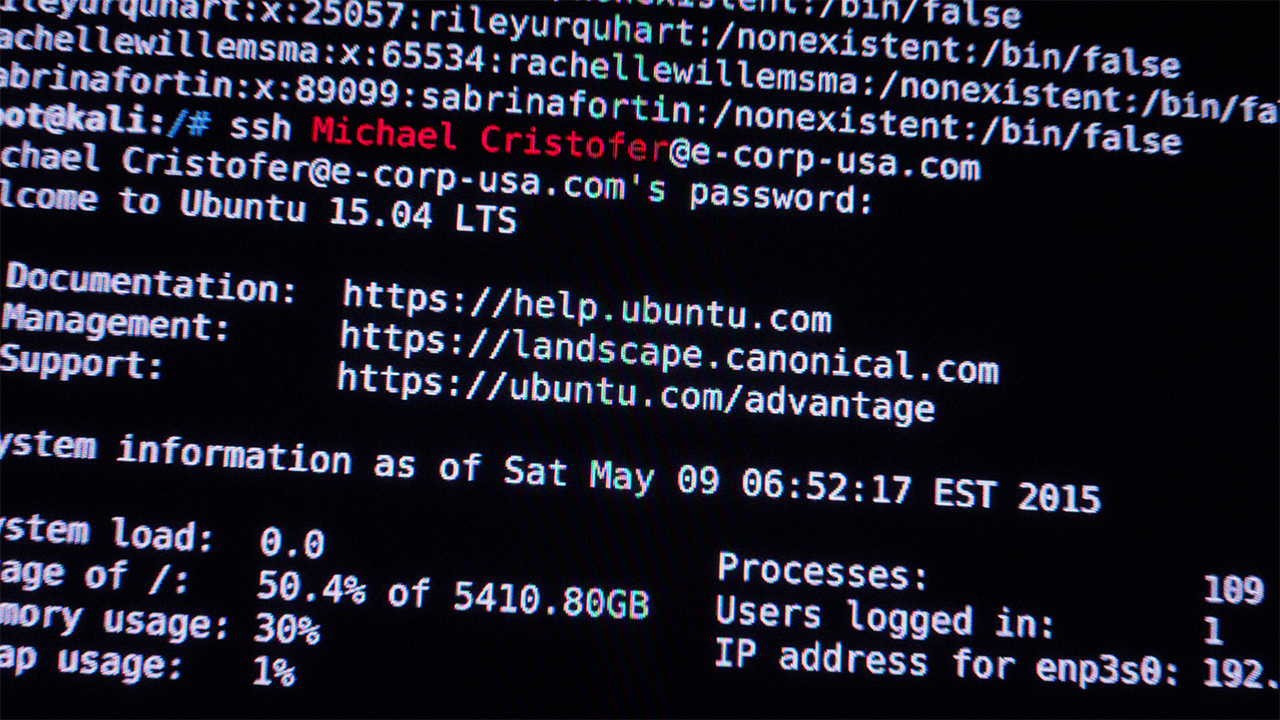
&lt;p&gt;&lt;img src=&quot;/img/projects/mr-robot/michaelcristofer.avif&quot; alt=&quot;Michael Cristofer’s title card&quot;&gt;&lt;/p&gt;
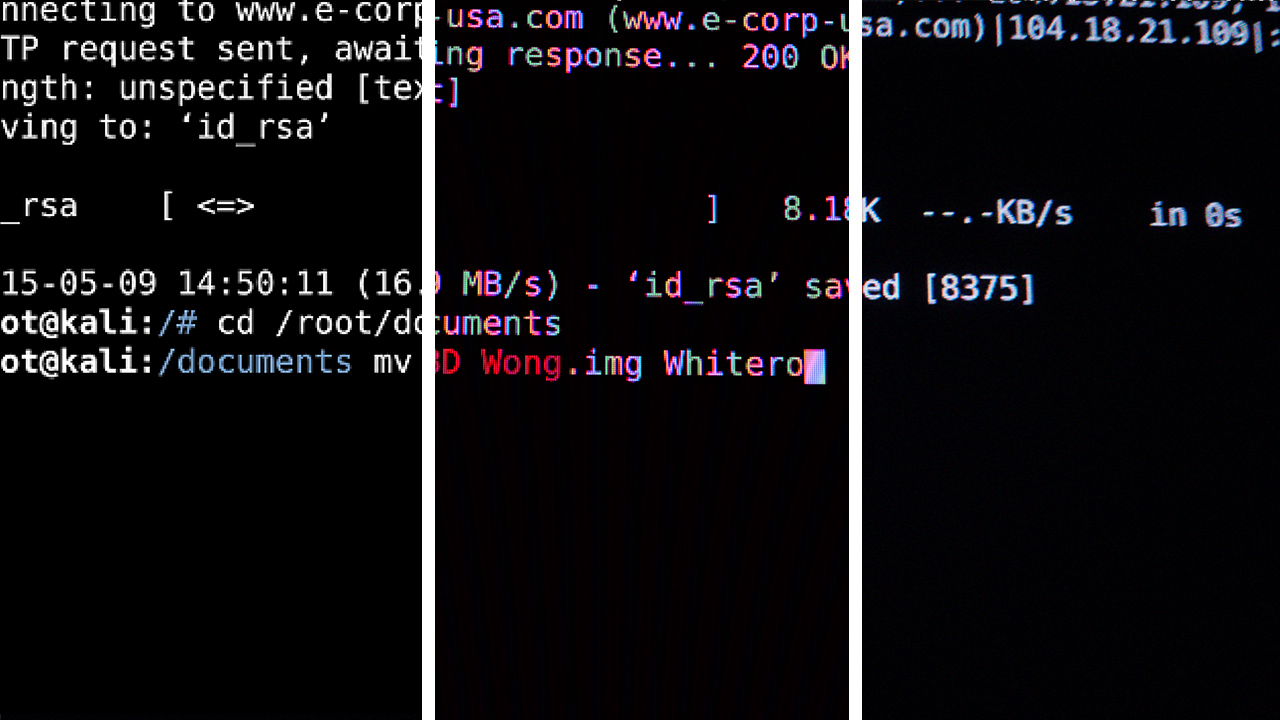
&lt;p&gt;Because of Mr. Robot’s focus on accuracy I wanted to create a title sequence that mirrored the show’s ethos. The command line interface is an obvious choice for a show about hacking and Kali Linux’s terminal makes many appearances in the show alongside Linux Mint. Each shot showcases a different program running in a terminal with the actor’s name integrated somewhere that makes sense. Where possible I tried to use command line programs that related to each actor’s character and their actions in the show: Martin Wallström (Tyrell Wellick) hacks an employee’s phone early on and his title has him writing a bootable .iso to an SD card, Gloria Reuben (Krista Gordon) is having her name be made into a wordlist used to check passwords against to crack them with Crunch, Christian Slater (Mr. Robot) is wiping data with Shred.&lt;/p&gt;
&lt;figure&gt;
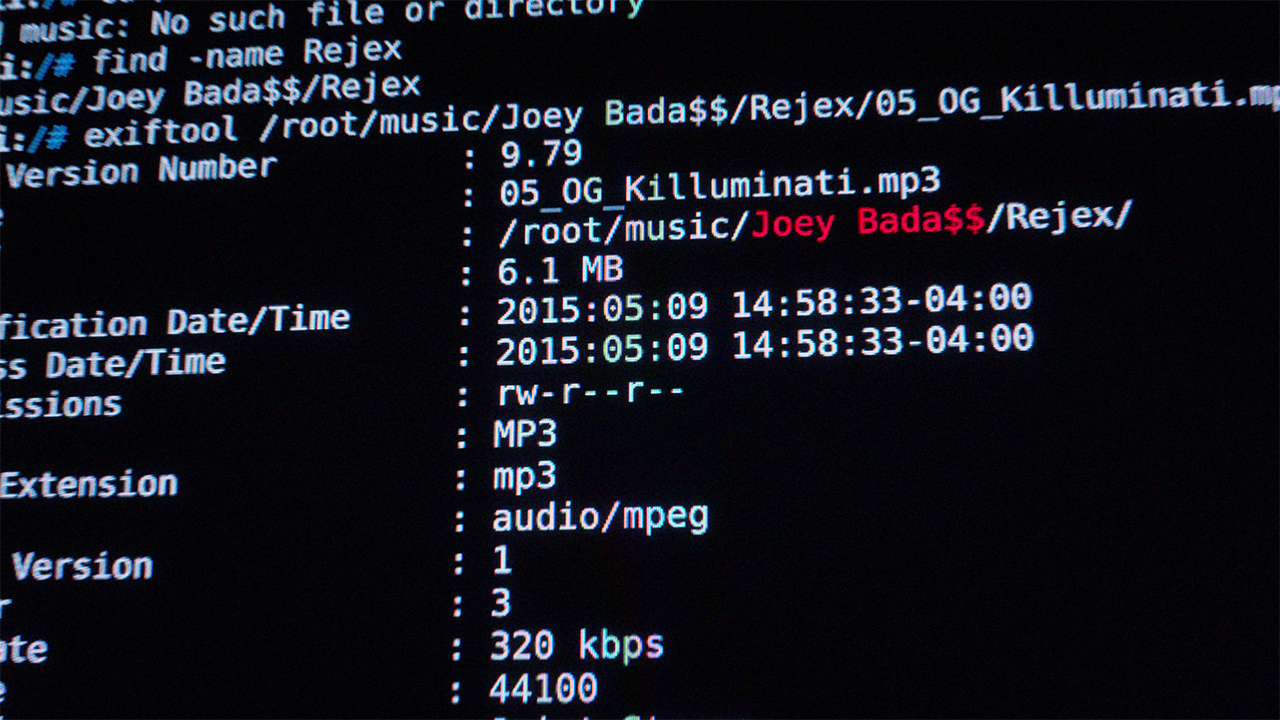
  &lt;img src=&quot;/img/projects/mr-robot/joeybadass.avif&quot; alt=&quot;Joey Badass’ title card referencing his Rejex mixtape&quot;/&gt;
  &lt;figcaption&gt;
  A Reddit commenter thought I was pretty cool for referencing Joey&apos;s Rejex mixtape here... Unfortunately I am a poser and haven&apos;t listened to much of his music, though from what I &lt;em&gt;have&lt;/em&gt; heard it&apos;s pretty good stuff!
  &lt;/figcaption&gt;
&lt;/figure&gt;
&lt;p&gt;While I don’t use them in quite the same way the colours were taken directly from Kali Linux’s default terminal theme. Actor’s names are styled in red to separate their title from the rest of the text on screen. There are also a few easter-eggs hidden throughout the opening, all URLs and IP addresses are real websites set up by the production, see if you can find any!&lt;/p&gt;
&lt;figure&gt;
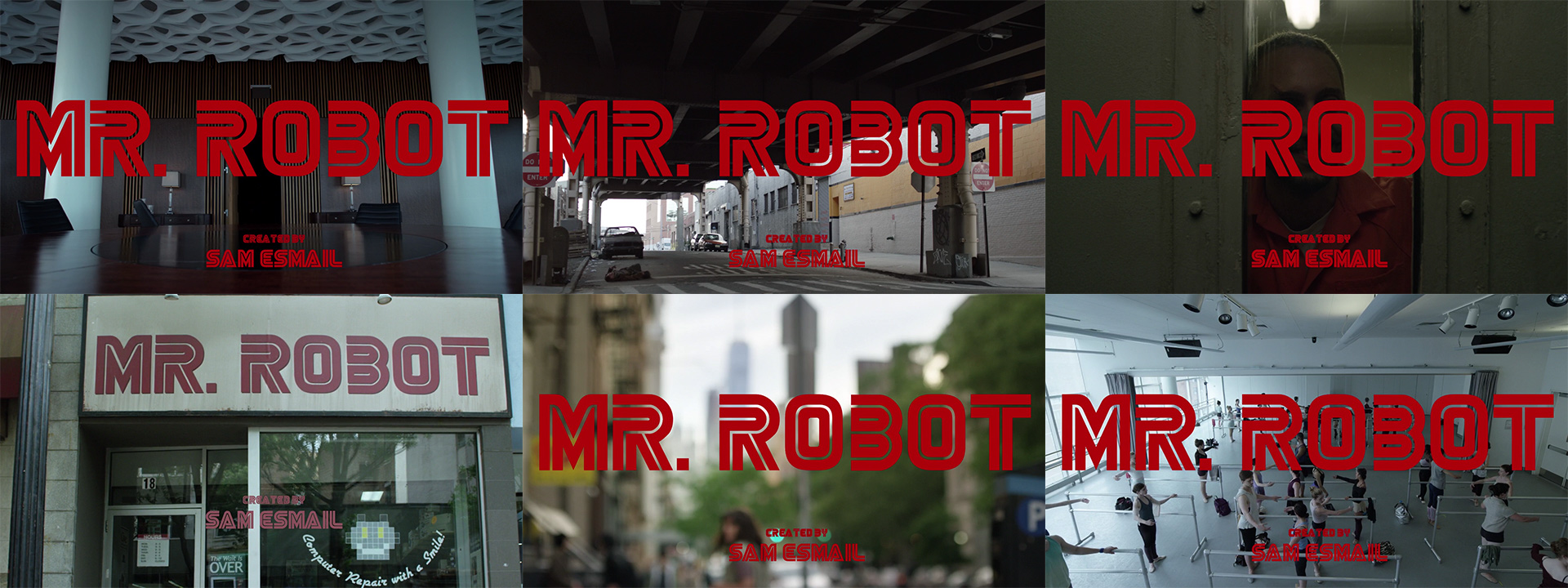
  &lt;img src=&quot;/img/projects/mr-robot/title-cards.avif&quot; alt=&quot;Six title cards that all read: Mr. Robot, Created by Sam Esmail&quot;/&gt;
  &lt;figcaption&gt;
  Six title cards from Mr. Robot&apos;s first season
  &lt;/figcaption&gt;
&lt;/figure&gt;
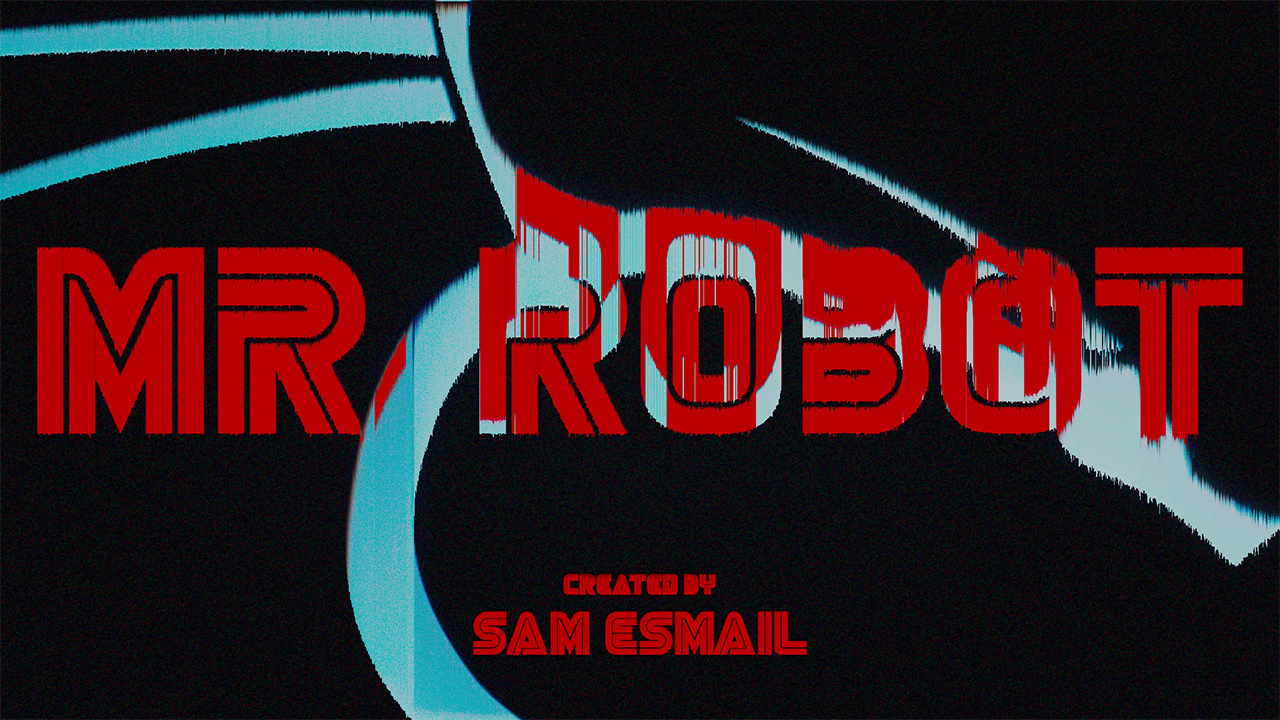
&lt;p&gt;Mr. Robot doesn’t actually have a dedicated title sequence (which is partly the reason I chose it for this project) but it &lt;em&gt;does&lt;/em&gt; have a rather distinct title card which I wanted to carry over into my sequence. The show usually keeps things pretty consistent with the title card, often using its timing for dramatic effect, but occasionally plays around with the format and type treatments to fit the episode.&lt;/p&gt;
&lt;p&gt;&lt;img src=&quot;/img/projects/mr-robot/titlecard.avif&quot; alt=&quot;The show’s title card&quot;&gt;&lt;/p&gt;
&lt;h2&gt;Process, Pipeline, and Technical Information&lt;/h2&gt;
&lt;p&gt;This project has the most complicated pipeline I have created for myself so far and is my first experience working with &lt;a href=&quot;https://opencolorio.org/&quot;&gt;OCIO&lt;/a&gt; and &lt;a href=&quot;https://acescentral.com/&quot;&gt;ACES&lt;/a&gt;. Does this project benefit from wide gamut support and the camera-matching features afforded by ACES? Probably not. Nonetheless, it was an interesting learning experience, even if everyone will only ever watch this on the web and the supposed delivery affordances of ACES aren’t really relevant here. This was also my first time editing footage in &lt;a href=&quot;https://olivevideoeditor.org/&quot;&gt;Olive&lt;/a&gt;, something I can’t recommend other people adopt just yet but sometimes it’s fun to be on the bleeding edge. For all the problems the program currently has (it’s in alpha!) it made colour management a breeze because of the native OCIO implementation — something that is notably missing in Premiere, my usual NLE of choice.&lt;/p&gt;
&lt;p&gt;To begin I divided my audio track (which I also created drawing heavy inspiration from Mac Quayle’s original soundtrack) into 14 sections by bar, the same strategy I used on &lt;a href=&quot;https://www.youtube.com/watch?v=Nb7KD2NsBo8&quot;&gt;Sheridan Animation’s 2019 Anijam&lt;/a&gt; to ensure that each cut is timed to the beat. After translating the cut points from Logic Pro to Olive the real fun began!&lt;/p&gt;
&lt;figure&gt;
  &lt;img src=&quot;/img/projects/mr-robot/pipeline-stages.avif&quot; alt=&quot;Three stages of image filtering, the first is unfiltered raw pixels, the second has an LCD effect applied, and the third has warped edges, camera blur, chromatic abberation, colour correction, and noise&quot;/&gt;
  &lt;figcaption&gt;
  Three stages of the same frame through After Effects, Blender, and Natron
  &lt;/figcaption&gt;
&lt;/figure&gt;
&lt;p&gt;For each shot I ran a program or command either on my MacBook or in a 2015 Kali Linux virtual machine. After saving the output to a text file and editing in the actor’s names, I re-animated each sequence in After Effects and exported the sequence to Blender where the camera movement and LCD effect were created. The LCD shader maps each pixel’s RGB values to an array of virtual emissive LCD pixels in order to generate the grid pattern and colour fringing you get when shooting computer monitors up close. Each render was then run through a post-process node graph in Natron for film grain, chromatic aberration, and lens distortion, and then exported and assembled Olive. The pixel sorting effect on the end title was the single shot made with Nuke using the excellent &lt;a href=&quot;https://www.nukepedia.com/blink/filter/h_pixelsort&quot;&gt;h_pixelsort gizmo&lt;/a&gt; by Mads Hagbarth Damsbo.&lt;/p&gt;
&lt;p&gt;All things considered, this was quite a time-consuming process for every shot to go through but I think it was worth it! Along with the new experience of Olive this was &lt;em&gt;also&lt;/em&gt; my first time working on a video project in Blender and I’m really loving the workflow and tools that it has to offer, if you’re reading this and you want to get into 3D or you’re thinking of switching to Blender I highly recommend giving it a go!&lt;/p&gt;
</content:encoded><category>Motion</category><author>Henry Wilkinson</author></item><item><title>Passive Buildings Canada</title><link>https://wilkinson.graphics/projects/passive-buildings-canada/</link><guid isPermaLink="true">https://wilkinson.graphics/projects/passive-buildings-canada/</guid><description>Website &amp; Branding</description><pubDate>Thu, 20 Aug 2020 04:00:00 GMT</pubDate><content:encoded>&lt;p&gt;&lt;a href=&quot;https://www.passivebuildings.ca/&quot;&gt;Passive Buildings Canada&lt;/a&gt; is a Canadian non-profit focused on education and support of the &lt;a href=&quot;https://en.wikipedia.org/wiki/Passive_house&quot;&gt;Passive House&lt;/a&gt; sustainable building construction standard. During my time with the organization I created an updated brand with new logos, typefaces, and colours, as well as an overhauled website built with Wix’s Editor-X.&lt;/p&gt;
&lt;h2&gt;Brand&lt;/h2&gt;
&lt;p&gt;I was originally hired for the sole purpose of replacing Passive Buildings Canada’s website which was originally created with an aging platform that offered few opportunities for customization and future growth. The first problem I ran into with this process was the existing branding, it just wasn’t versatile enough for their use cases. Creating an emblem is fine but having it as your sole logo introduces legibility difficulties at small sizes and can be entirely unrecognizable when used at extremely small scales like in a favicon. The existing brand colours also didn’t meet my contrast standards over a white background (Fails APCA unless the text is &lt;em&gt;gigantic&lt;/em&gt;).&lt;/p&gt;
&lt;figure&gt;
  &lt;img src=&quot;/img/projects/passive-buildings/logomark.svg&quot; alt=&quot;An emblem of a maple leaf made of radiant lines next to a bolder version of the same leaf graphic in a box.&quot;&gt;
  &lt;figcaption&gt;Passive Buildings Canada&apos;s previous and new logomark&lt;/figcaption&gt;
&lt;/figure&gt;
&lt;p&gt;The new mark is bolder and features higher-contrast brand colours. It borrows from the original emblem in order to stay recognizable but updates the radiating maple leaf with better geometric alignment and thicker lines for improved legibility at smaller scales.&lt;/p&gt;
&lt;p&gt;The rebrand features two new options with text to be used as space allows.&lt;/p&gt;
&lt;figure&gt;
  &lt;img src=&quot;/img/projects/passive-buildings/full-logos.svg&quot; alt=&quot;New logomark beside text that reads &quot;Passive Buildings Canada&quot;&quot;&gt;
  &lt;figcaption&gt;Passive Buildings Canada&apos;s new full and condensed lockups&lt;/figcaption&gt;
&lt;/figure&gt;
&lt;p&gt;Alongside the logo I created a brand pattern using HVAC related architectural plan symbols. Passive Buildings Canada mainly deals with architects, building suppliers, and engineers. While these symbols might not resonate at first glance with the general public, they should be instantly familiar among Passive Buildings Canada’s core demographic. This pattern can be used as a background fill pretty much anywhere to add an extra branded element that is unique to Passive Buildings Canada.&lt;/p&gt;
&lt;p&gt;&lt;img src=&quot;/img/projects/passive-buildings/pattern.svg&quot; alt=&quot;Pattern composed of mono-linear HVAC architectural symbols&quot;&gt;&lt;/p&gt;
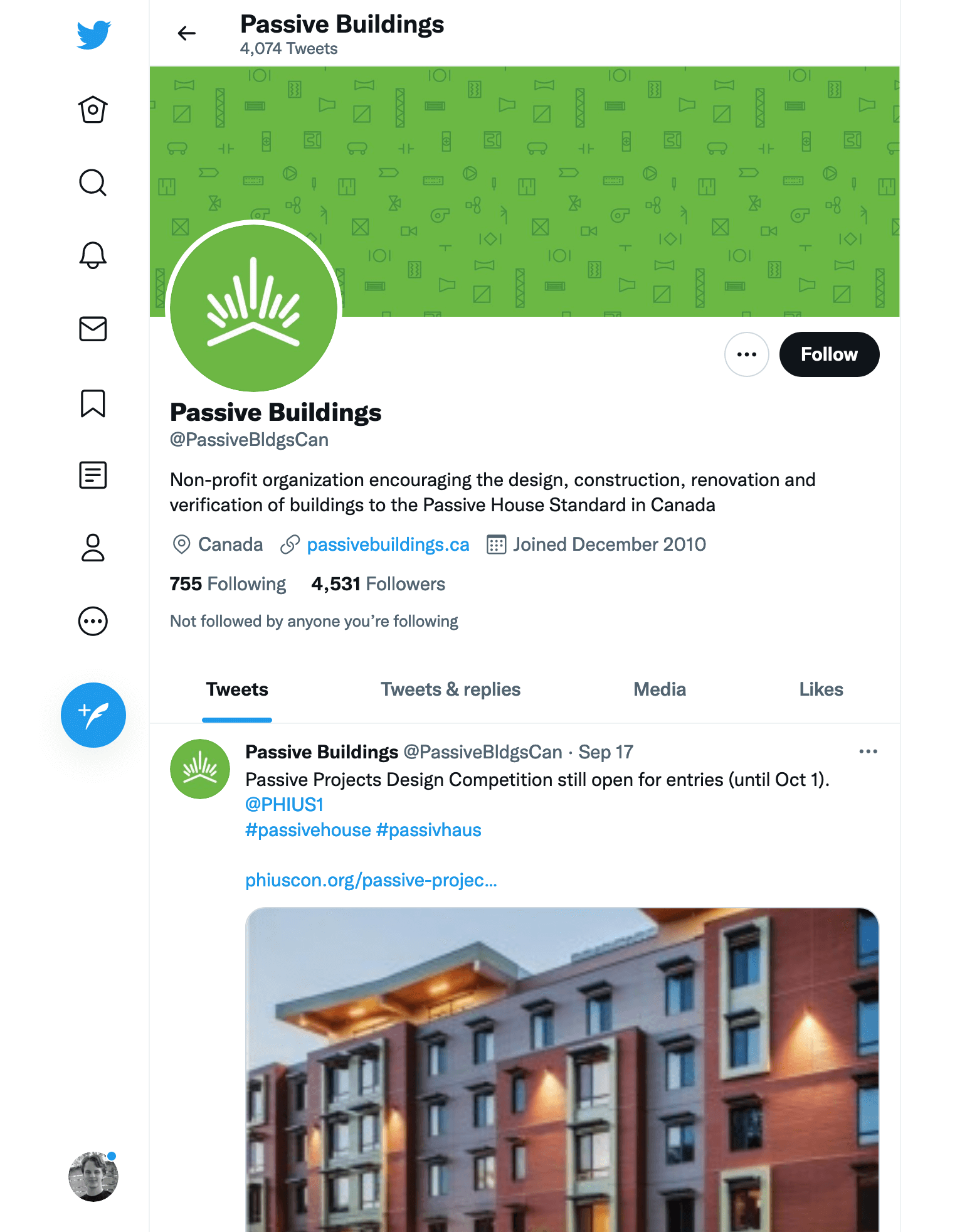
&lt;figure&gt;
  &lt;img src=&quot;/img/projects/passive-buildings/twitter.avif&quot; alt=&quot;Screenshot @PassiveBldgsCan on Twitter&quot;&gt;
  &lt;figcaption&gt;Passive Buildings Canada&apos;s new branding as seen on &lt;a rel=&quot;noreferer&quot; href=&quot;https://twitter.com/PassiveBldgsCan&quot;&gt;their Twitter profile&lt;/a&gt;&lt;/figcaption&gt;
&lt;/figure&gt;
&lt;!-- Wow you found a secret!  I didn&apos;t think my type thoughts were a super valuable part of this case study but if you want em here they are! --&gt;
&lt;!-- ### Typography --&gt;
&lt;!-- For Passive Buildings Canada I chose a single versatile typeface that can be reasonably adapted to any use case in the future.  As a non-profit organization that operates largely in the B2B space with no full-time designers I also wanted to ensure that whatever typeface I would be passing to the organization&apos;s members wouldn&apos;t require advanced typesetting skills in order to make end results that look reasonable.  For this reason I settled on Avant Sans, an all-purpose sans-serif with variable font support as an added bonus. --&gt;
&lt;h2&gt;Website&lt;/h2&gt;
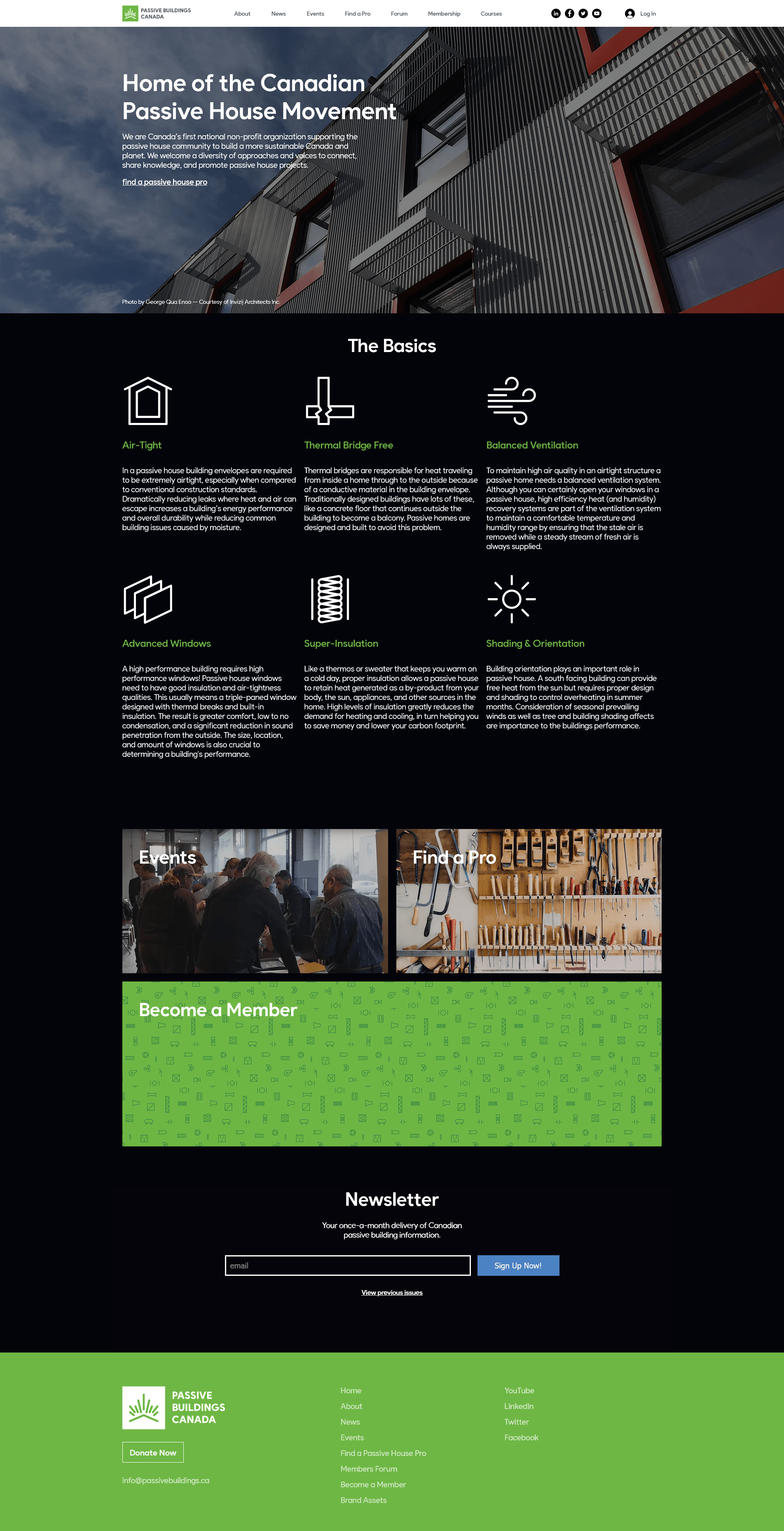
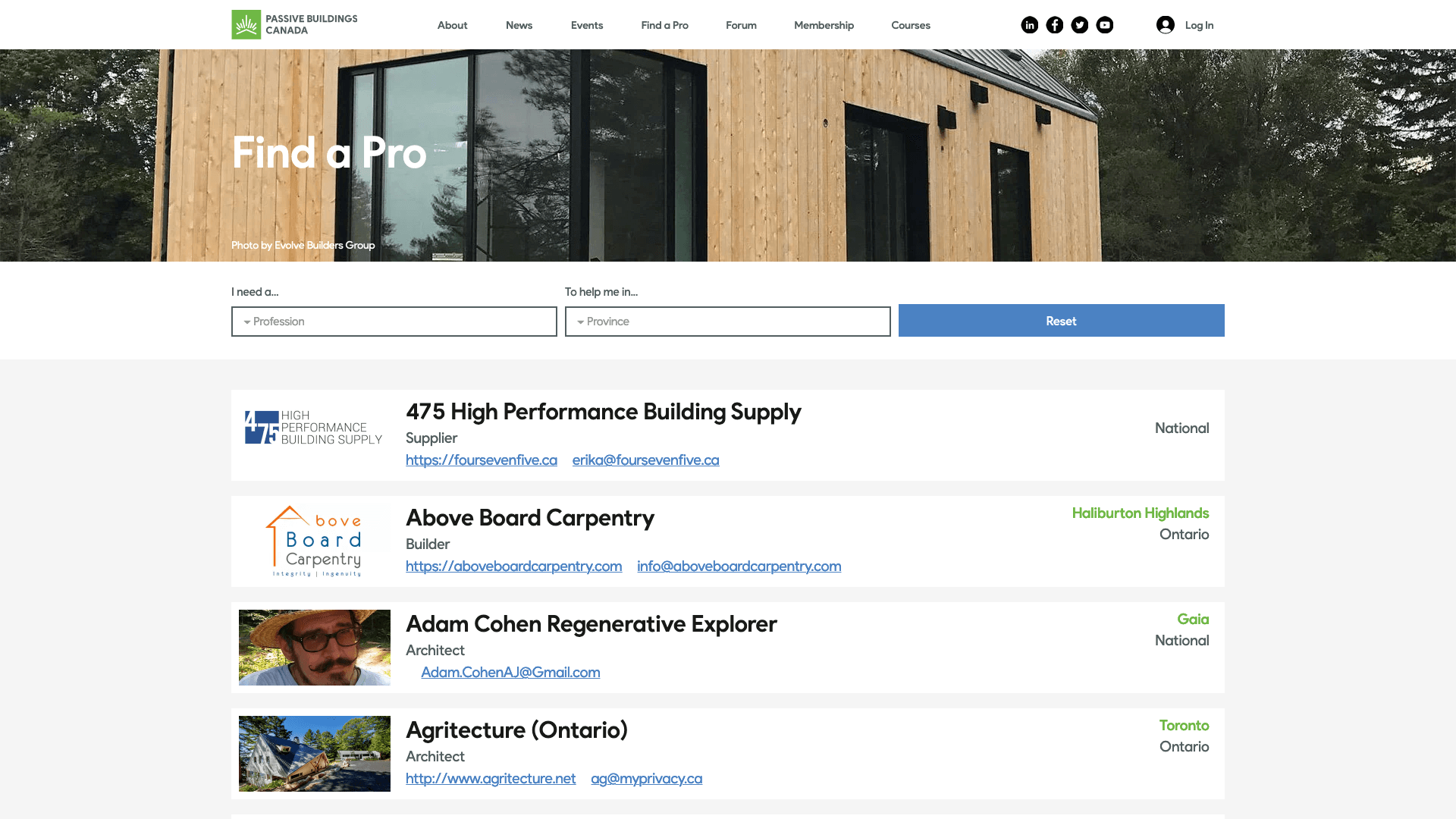
&lt;p&gt;Whereas the previous website was largely just a list of members, Passive Buildings Canada’s new website puts more emphasis on member engagement and education. Existing members now have access to a forum and new users actually get to learn a little bit about passive house construction right on the homepage (something that was curiously missing from the previous website).&lt;/p&gt;
&lt;p&gt;&lt;img src=&quot;/img/projects/passive-buildings/homepage.avif&quot; alt=&quot;passivebuildings.ca homepage&quot;&gt;&lt;/p&gt;
&lt;p&gt;Passive Buildings Canada’s previous website was built using a web platform called Brilliant Directories. While the system is far from its namesake it does accomplish the goal of letting people pay to be listed on a website. Wix unfortunately does not offer a built-in feature that replicates this function and seeing as it was a previous membership perk it would be unreasonable to not bring that over to the new website. Using Wix’s JavaScript API we were able to create a system that worked alongside Wix’s form submission tools to check if membership was active before enabling member’s profiles on the “Find a Pro” page shown below.&lt;/p&gt;
&lt;p&gt;&lt;img src=&quot;/img/projects/passive-buildings/find-a-pro.avif&quot; alt=&quot;The &amp;quot;Find A Pro&amp;quot; page with a sortable list of building supply companies&quot;&gt;&lt;/p&gt;
&lt;h2&gt;Gripes &amp;amp; Shortcomings&lt;/h2&gt;
&lt;p&gt;While I am satisfied with my final results overall, I would not use Editor-X again unless it seriously improves in &lt;em&gt;every area&lt;/em&gt;. I constantly ran into roadblocks with both their layout tools, JavaScript API, and styling abilities — as of 2021 you still cannot add &lt;code&gt;text-shadow&lt;/code&gt; to text or manually set the &lt;code&gt;object-fit&lt;/code&gt; mode of images. Every single graphical website builder I have ever used has held me back in &lt;em&gt;some&lt;/em&gt; way and I find them all frustrating compared to writing my own markup and CSS. Editor-X is especially terrible in this regard, it was chosen by the organization solely for its easy CMS management (once the website is built anyways) and specific site membership perk systems.&lt;/p&gt;
&lt;p&gt;To Wix’s credit, their new editor is… well, still &lt;em&gt;very&lt;/em&gt; new. At the time of creating this site it was still officially in beta! Normally I wouldn’t use beta software to actually run production websites but seeing as their original editor has no responsive design support and will likely be deprecated at some point in the future with Editor-X becoming the new default, I think it was the right choice for future proofing. I hope it evolves quickly and catches up with the competition!&lt;/p&gt;
&lt;p&gt;In the meantime, if you don’t need Wix’s other features and you’re looking to make a website graphically &lt;a href=&quot;https://webflow.com/&quot;&gt;Webflow&lt;/a&gt; would be my recommendation as of posting. They don’t let you do &lt;em&gt;everything&lt;/em&gt; with their tools but at least they allow you to work around them with custom code where required and their editor is quite a reasonable front-end for styling elements.&lt;/p&gt;
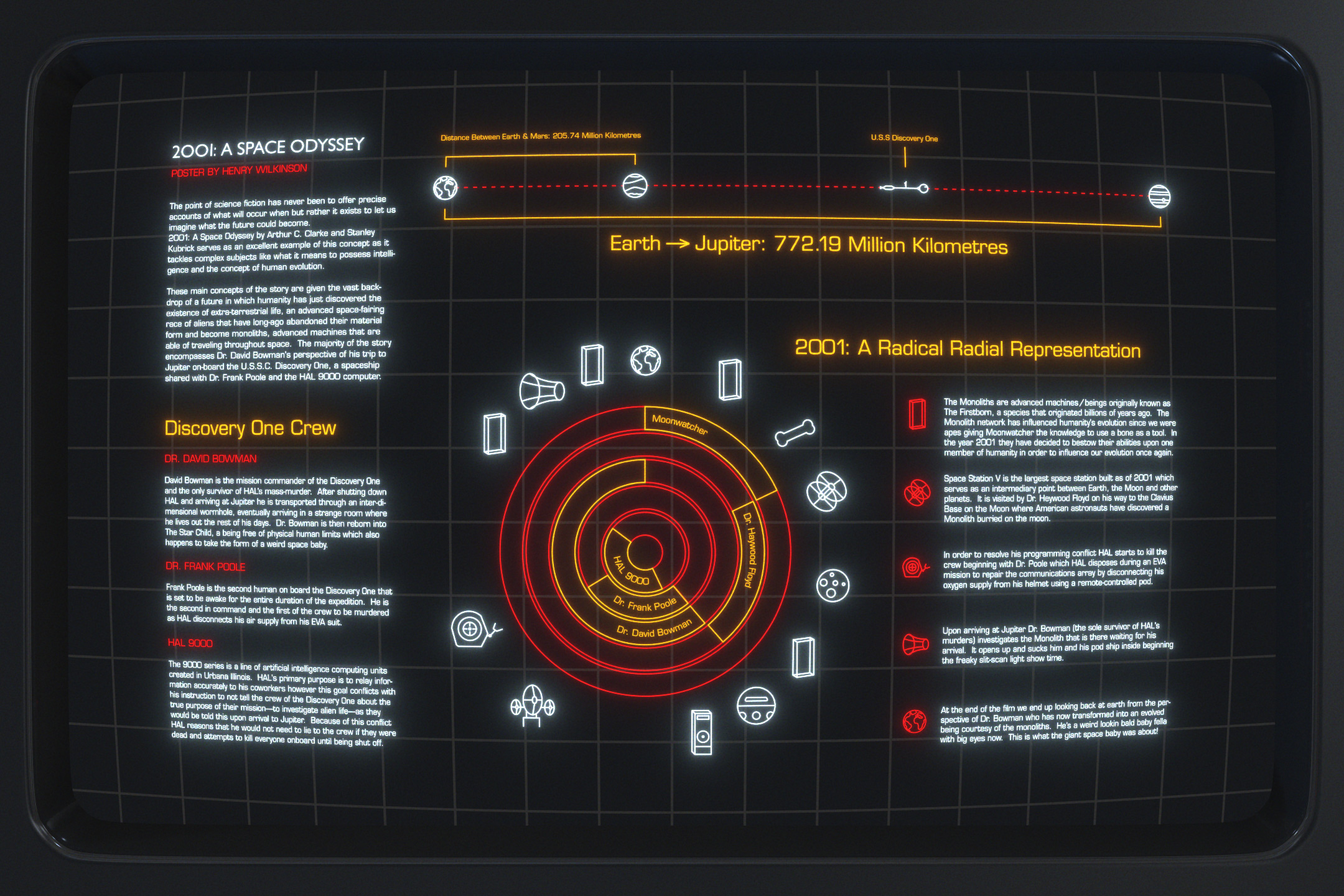
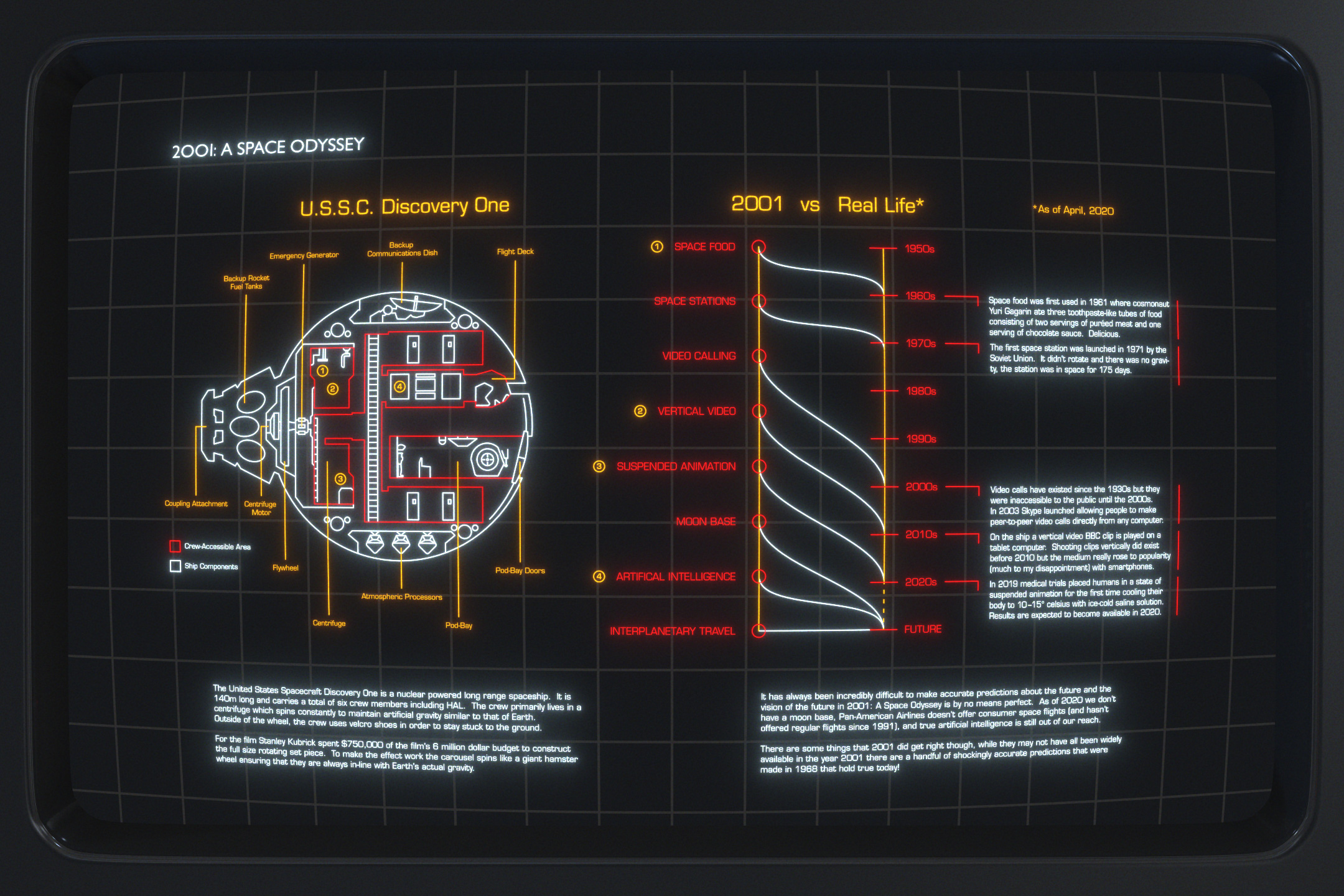
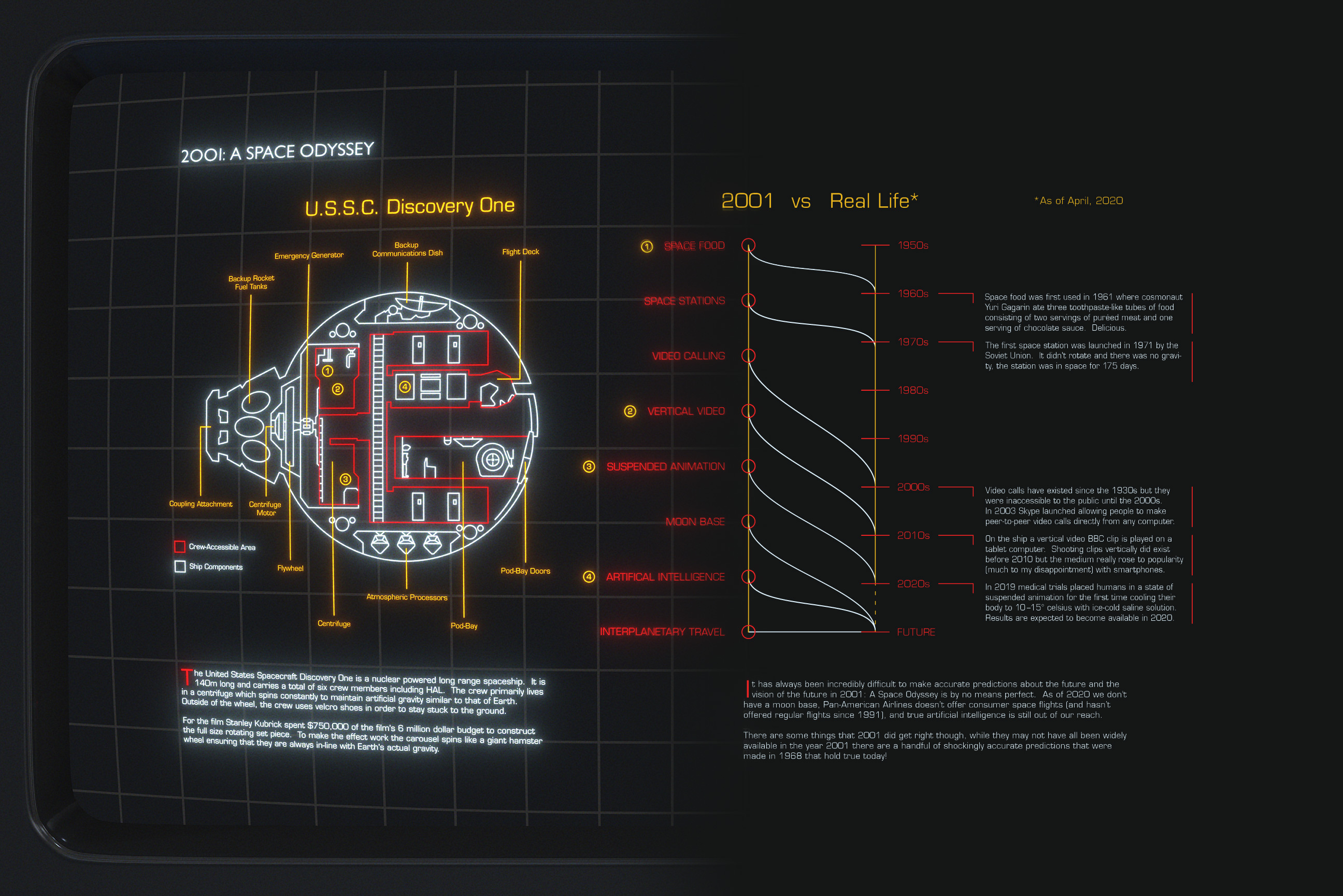
</content:encoded><category>Branding</category><category>Web</category><author>Henry Wilkinson</author></item><item><title>2001: A Rundown</title><link>https://wilkinson.graphics/projects/2001/</link><guid isPermaLink="true">https://wilkinson.graphics/projects/2001/</guid><description>What the hell was up with that giant space baby at the end of the movie anyways?</description><pubDate>Sat, 11 Apr 2020 04:00:00 GMT</pubDate><content:encoded>&lt;p&gt;When most people watch 2001 for the first time they often walk away from it saying things like “that movie confused the hell out of me”, “why are the first 20 minutes of the film just full of monkeys?” and “what was up with the giant space baby at the end?”. While this two part infographic doesn’t answer ALL of those questions hopefully it helps make things just a little bit clearer! ;)&lt;/p&gt;
&lt;p&gt;&lt;img src=&quot;/img/projects/2001/page1.avif&quot; alt=&quot;Page1&quot;&gt;&lt;/p&gt;
&lt;p&gt;&lt;img src=&quot;/img/projects/2001/page2.avif&quot; alt=&quot;Page2&quot;&gt;&lt;/p&gt;
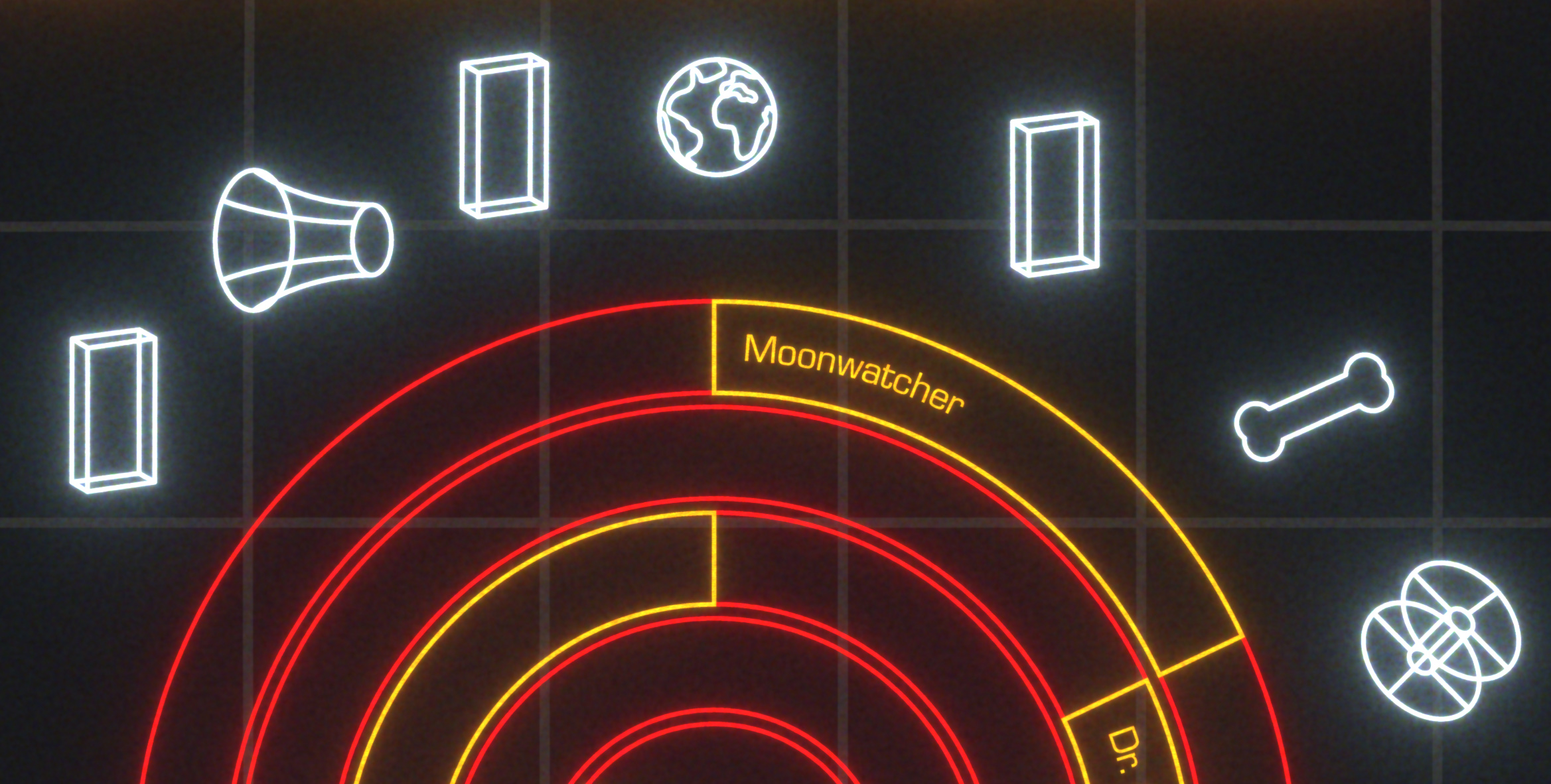
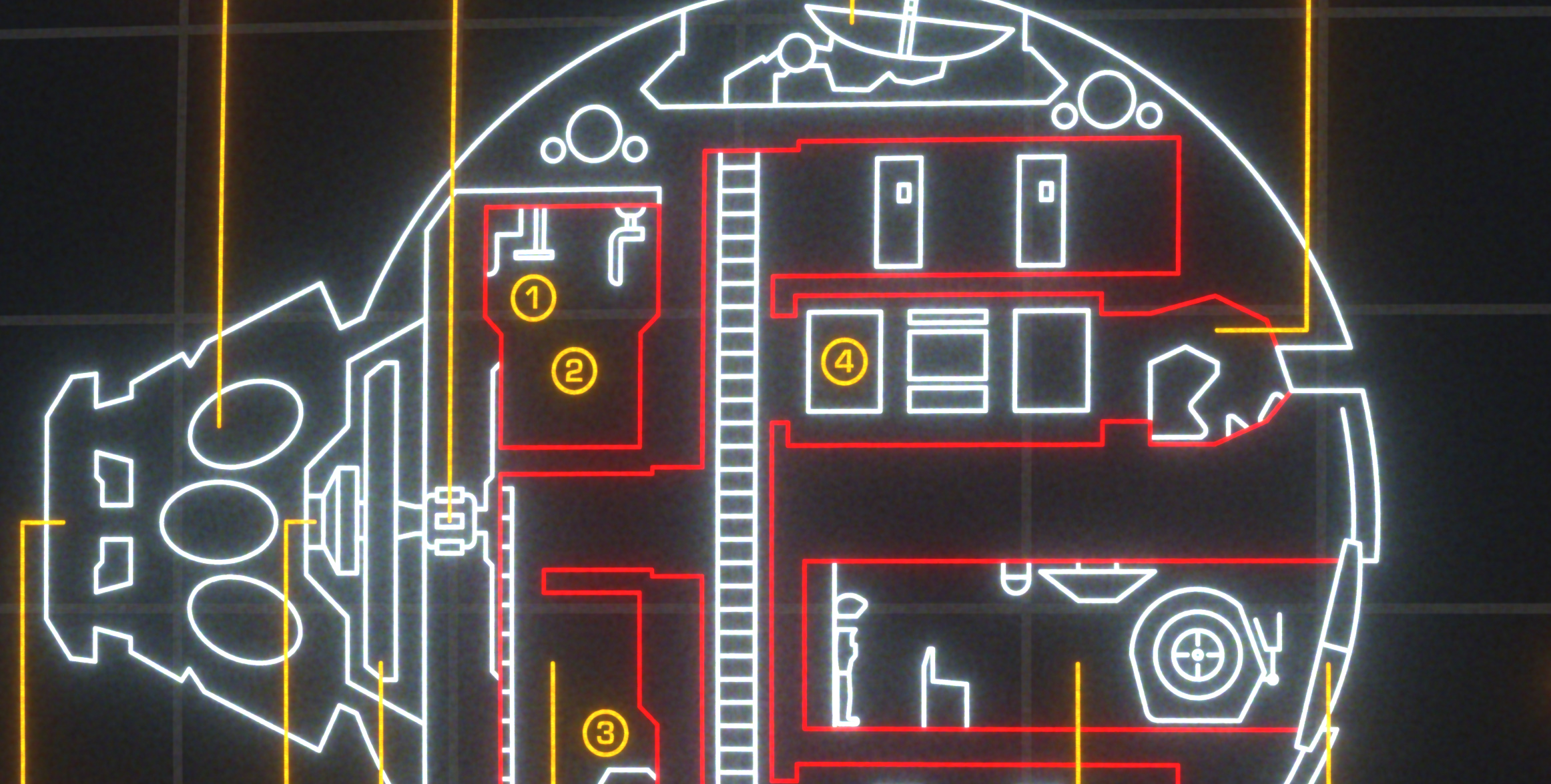
&lt;p&gt;2001 made a lot of predictions about the future but in my opinion one of the most forward thinking aspects of the film was how computer interfaces were imagined. While my infographic does not match the style of most of the interfaces in the film, I wanted to appropriate the monolinear line-art aesthetic of early computer graphics. Inspired by Star Wars’ Death Star plans presentation, the dish model in 2001, and the comfortable happy glow of CRT monitors, I came up with this process. It’s by no means an accurate re-creation but I still think it gets the point across!&lt;/p&gt;
&lt;p&gt;&lt;img src=&quot;/img/projects/2001/page1-closeup.avif&quot; alt=&quot;Page1 Closeup&quot;&gt;&lt;/p&gt;
&lt;p&gt;&lt;img src=&quot;/img/projects/2001/page2-closeup.avif&quot; alt=&quot;Page2 Closeup&quot;&gt;&lt;/p&gt;
&lt;p&gt;If you’re &lt;em&gt;actually&lt;/em&gt; wondering what the deal is with the baby at the end of the movie (spoilers for a movie from 1968) here’s the answer. After commander Bowman grows old in an alien zoo he is visited by a monolith — the large jet black slabs that have played a part in humanity’s evolution granting us the ability to use tools and such. As he dies the monoliths allow him to be re-incarnated into a being known as “the star child”, a god-like figure which represents the next evolution of humanity. The final shot shows this freaky looking baby in space looking down upon Earth.&lt;/p&gt;
&lt;p&gt;I didn’t write the movie man, I just think the space stuff looks neat.&lt;/p&gt;
&lt;h2&gt;Process&lt;/h2&gt;
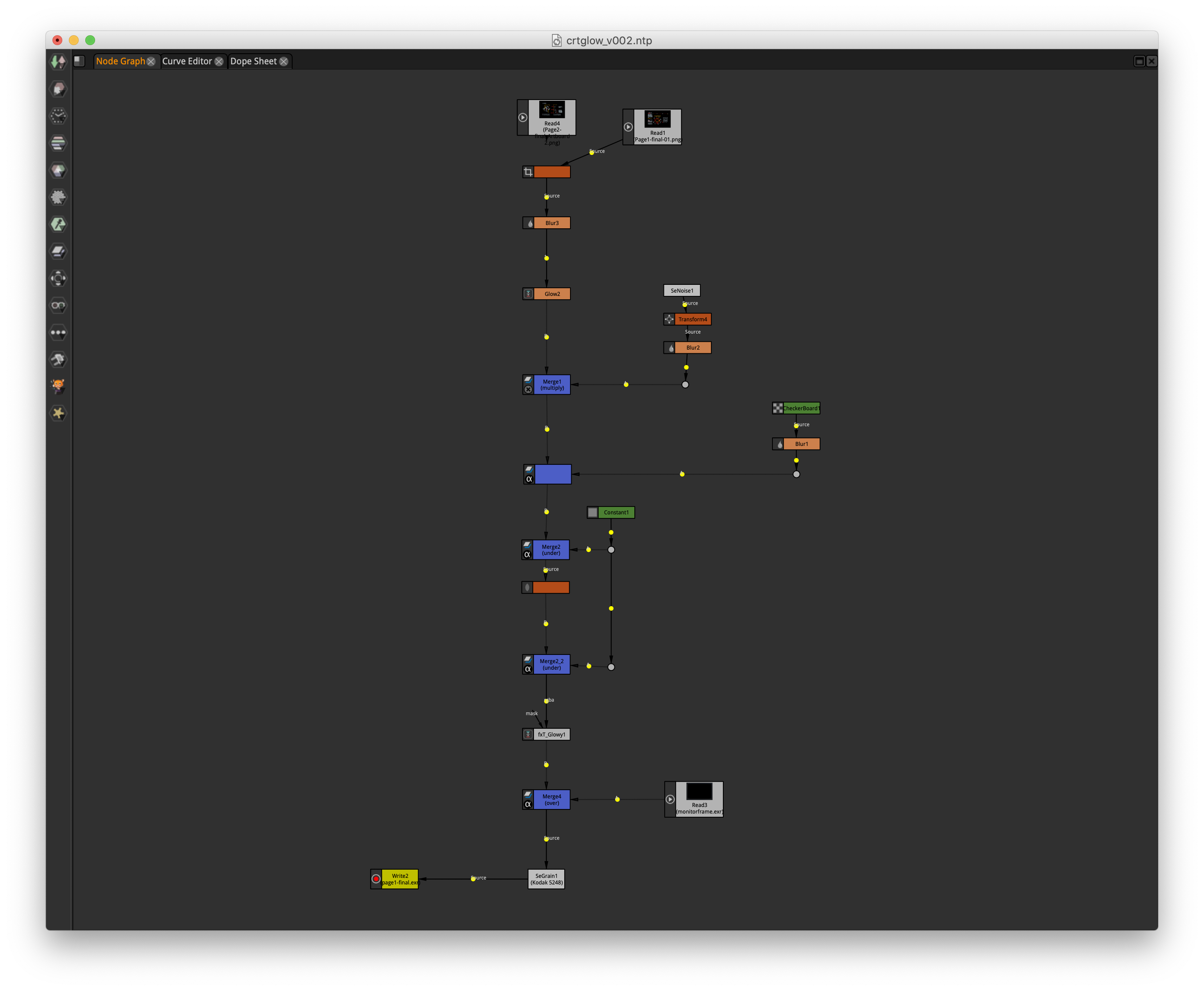
&lt;p&gt;This was my first project using &lt;a href=&quot;https://natrongithub.github.io/&quot;&gt;Natron&lt;/a&gt;, an open source node-based compositing program. Illustrator’s appearance panel is great but it doesn’t offer you the same level of control when applying effects that I’ve come to love with Nuke and Natron’s respective node-based workflows. Because Natron works only with 32-bit colour it allowed me to achieve compositing results that cannot be done in Illustrator due to its limited 8 bit working space—specifically the exponential glows—as well as other effects that just aren’t built into the program like accurate looking film grain.&lt;/p&gt;
&lt;figure&gt;
  &lt;img src=&quot;/img/projects/2001/natron.png&quot; alt=&quot;Screenshot of Natron&apos;s node graph&quot;/&gt;
  &lt;figcaption&gt;The node graph for this project — pretty simple! Node-based compositing scripts can get &lt;em&gt;a lot&lt;/em&gt; more complex.&lt;/figcaption&gt;
&lt;/figure&gt;
&lt;figure&gt;
  &lt;img-comparison-slider&gt;
    &lt;img slot=&quot;first&quot; src=&quot;/img/projects/2001/illustrator.avif&quot; alt=&quot;The graphic before being run through Natron, none of the lines glow&quot;/&gt;
    &lt;img slot=&quot;second&quot; src=&quot;/img/projects/2001/page2.avif&quot; alt=&quot;The graphic after being run through Natron, all of the lines glow a lot!&quot; /&gt;
  &lt;/img-comparison-slider&gt;
  &lt;figcaption&gt;The left side consists of everything that was exported from Illustrator, the monitor bezel was made in Maya, everything else was created with Natron using the node graph above.&lt;/figcaption&gt;
&lt;/figure&gt;
&lt;p&gt;The great thing about node-based compositing programs is that the effects you apply to your image are (largely) separate from the input resolution. Vector graphics are great because they can be scaled to any resolution, similarly a procedural node-based workflow allows for the input resolution to be changed with only minor tweaks to the node-graph making it a decent companion to vector-based software. Pretty neat eh?&lt;/p&gt;
&lt;p&gt;In the future creating an accurate CRT filtering process in Natron is something I’m absolutely interested in doing. Currently it’s blocked by a few software limitations however… If that sounds like something you were hoping to find in this post you may be interested in &lt;a href=&quot;https://github.com/viler-int10h/FFmpeg-CRT-transform&quot;&gt;FFCRT&lt;/a&gt;.&lt;/p&gt;
</content:encoded><category>Information Design</category><author>Henry Wilkinson</author></item><item><title>Vyper</title><link>https://wilkinson.graphics/projects/vyper/</link><guid isPermaLink="true">https://wilkinson.graphics/projects/vyper/</guid><description>A new logo for the Vyper programming language</description><pubDate>Wed, 20 Jun 2018 04:00:00 GMT</pubDate><content:encoded>&lt;p&gt;Vyper is a smart contract programming language that targets the Ethereum Virtual Machine, it offers an alternative to Solidity — the current most popular language for writing smart contracts. The language is based on Python and aims to be secure by design, easy to audit, and easily human readable. More information about Vyper can be found on &lt;a href=&quot;https://github.com/vyperlang/vyper&quot;&gt;Vyper’s GitHub page&lt;/a&gt; or at &lt;a href=&quot;https://vyper.readthedocs.io/en/latest/index.html&quot;&gt;vyper.readthedocs.io&lt;/a&gt;.&lt;/p&gt;
&lt;p&gt;Ethereum’s core features (as of 2014) have an existing set of logos for Solidity, Swarm, and of course Ethereum itself. All are composed of layered triangles with varying levels of opacity.&lt;/p&gt;
&lt;figure&gt;
&lt;img src=&quot;/img/projects/vyper/existing-logos.avif&quot; alt=&quot;Ethereum&apos;s existing logo along with Swarm, and Solidity&quot;&gt;
&lt;figcaption&gt;Ethereum&apos;s existing brand assets as of 2014&lt;/figcaption&gt;
&lt;/figure&gt;
&lt;h2&gt;Concept&lt;/h2&gt;
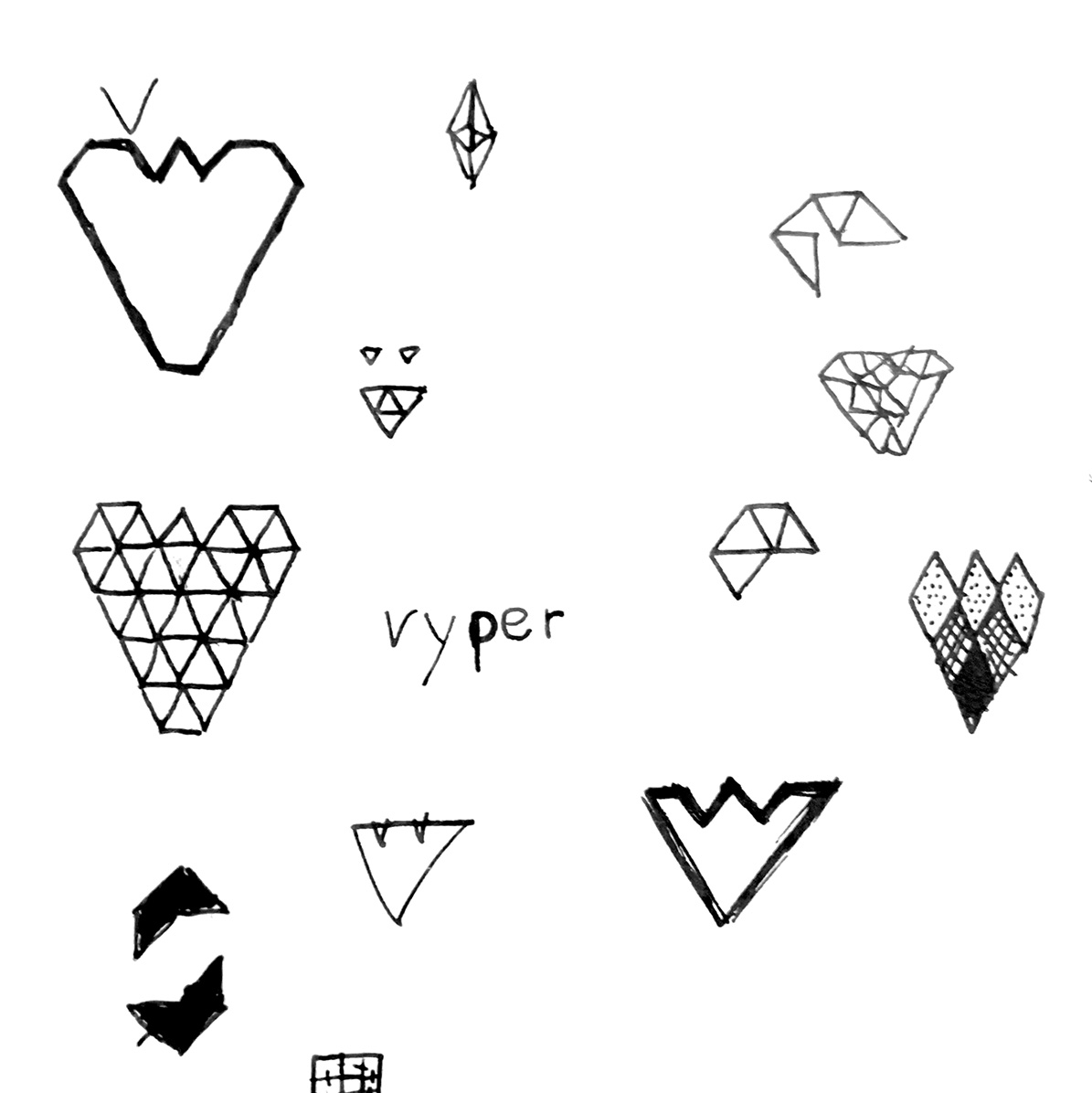
&lt;p&gt;From the beginning I knew I wanted to keep the shape language of the existing Ethereum logos. This serves the dual purpose of integrate Vyper into the current landscape of Ethereum graphics as well as ensuring that it can be updated along with the rest as the project progresses. Luckily the letter V and triangles work well together!&lt;/p&gt;
&lt;p&gt;&lt;img src=&quot;/img/projects/vyper/sketches.avif&quot; alt=&quot;Concept sketches&quot;&gt;&lt;/p&gt;
&lt;p&gt;Many other proposed logos went for more literal snake representations. I took inspiration from snake fangs for the shallow crotch of the V, as well as scales for the rest of the shape and shading. The result is a snake-themed logo for a snake-themed language!&lt;/p&gt;
&lt;figure&gt;
&lt;img src=&quot;/img/projects/vyper/vyper-logo.avif&quot; alt=&quot;The Vyper logomark, a V made of scales with two cutouts in the shape of snake teeth at the top&quot;&gt;
&lt;figcaption&gt;Vyper&apos;s new logo&lt;/figcaption&gt;
&lt;/figure&gt;
&lt;h2&gt;The future&lt;/h2&gt;
&lt;p&gt;Swarm has since broken off to become its own own organization and Ethereum’s other branding has received a refresh. While Vyper still uses this logo as of publishing, I would hope that it can be updated in a similar fashion to Solidity and the Ethereum Foundation’s branding with the core shape remaining the same and the styling getting an update.&lt;/p&gt;
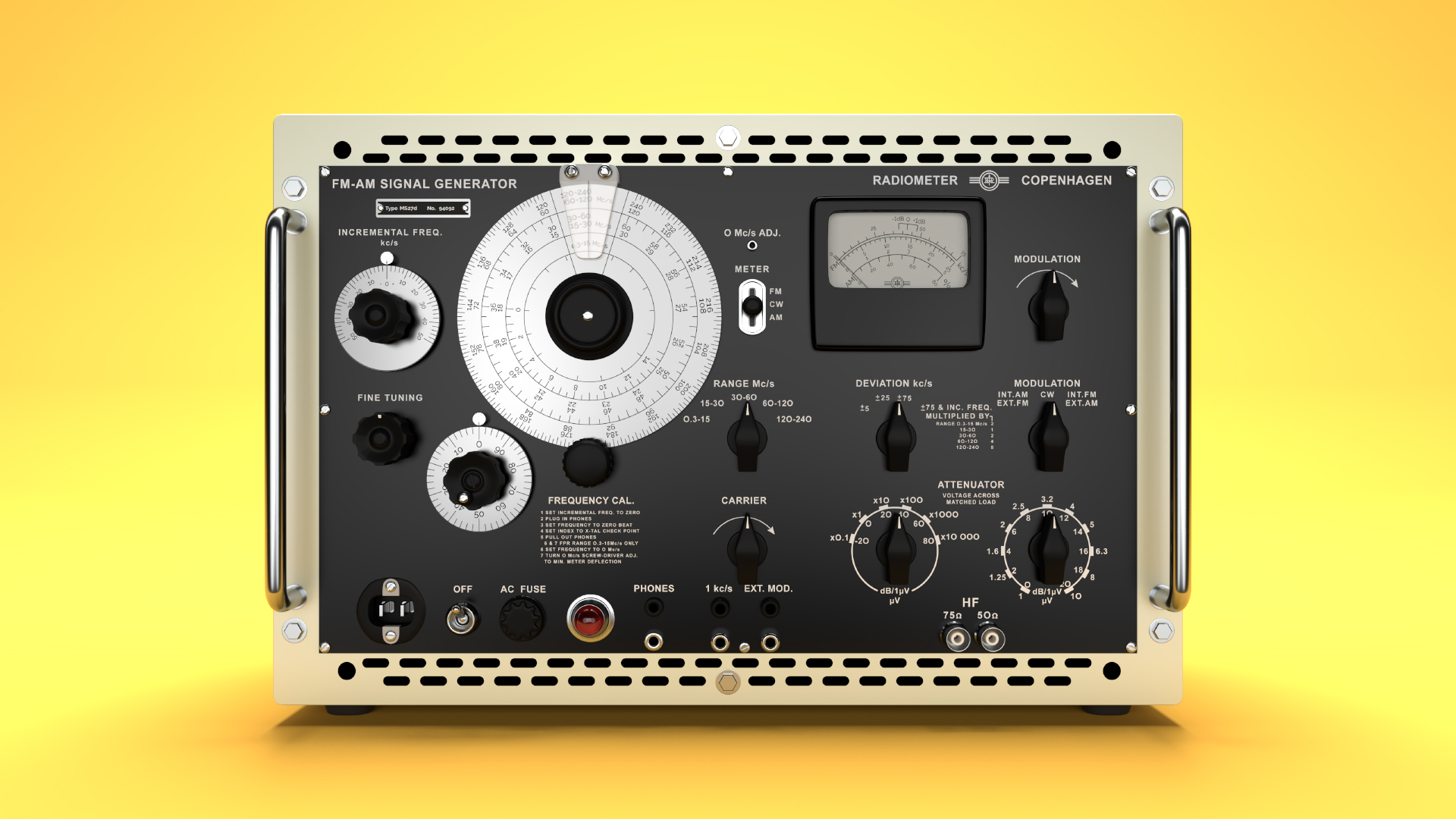
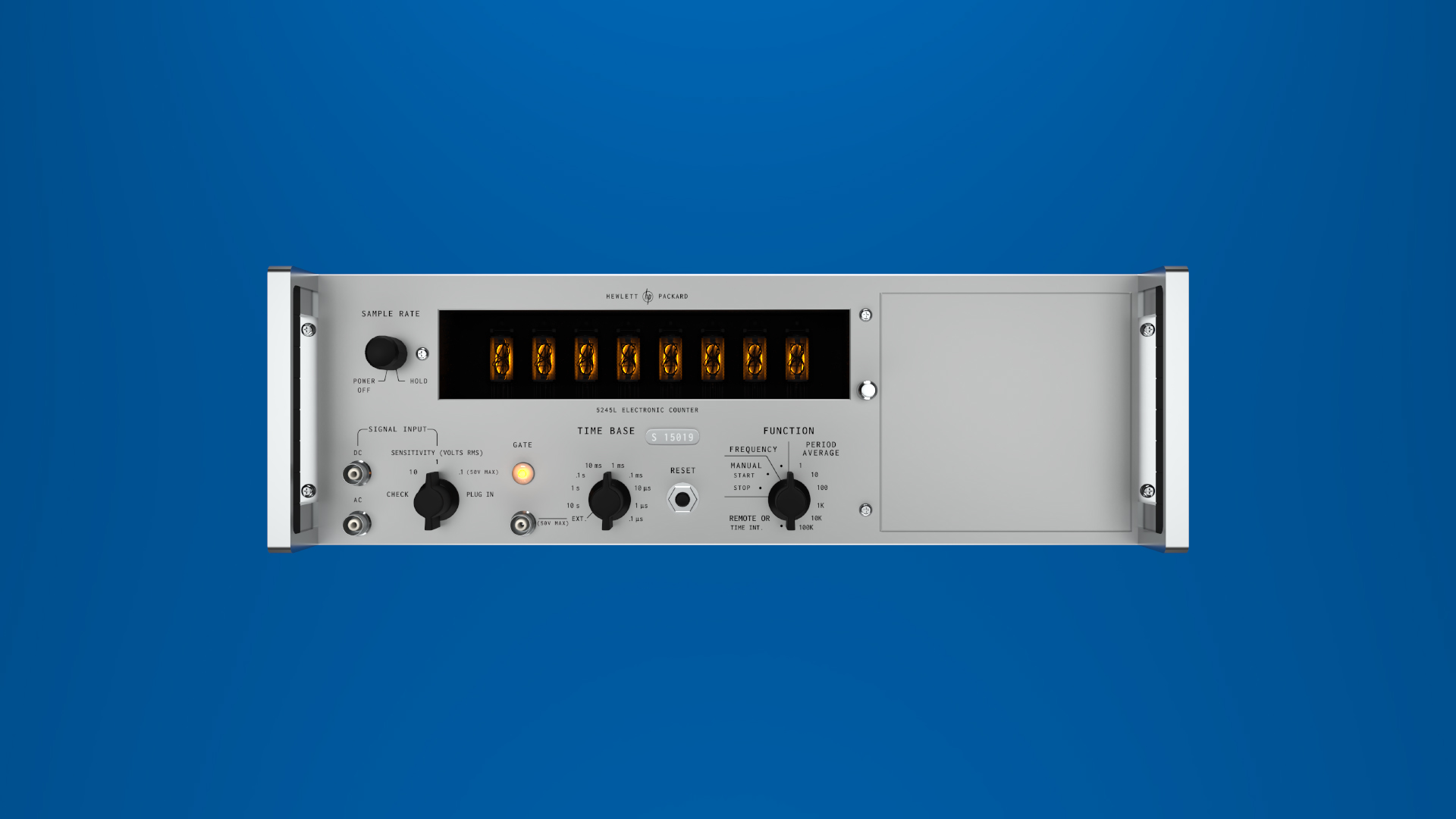
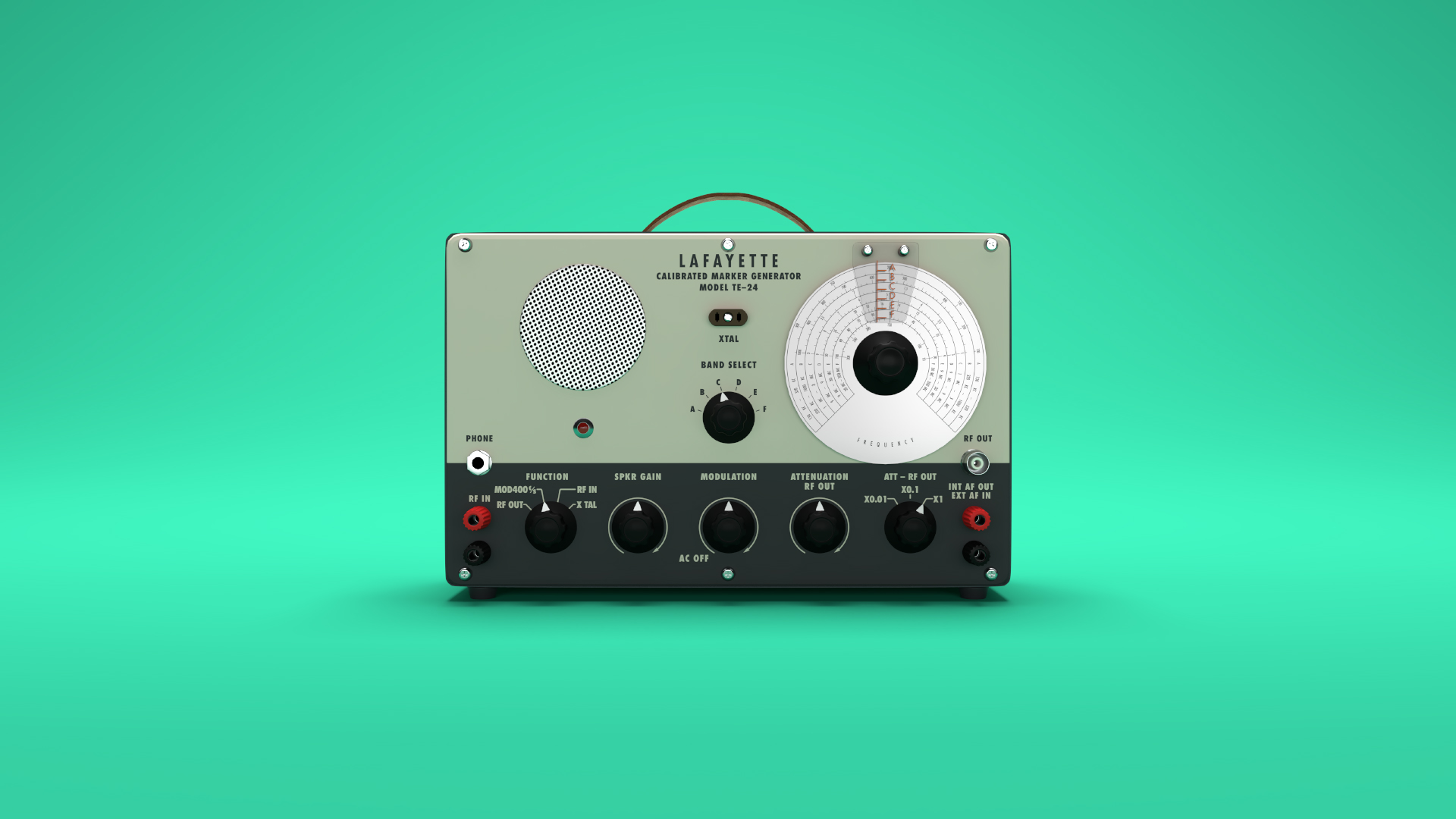
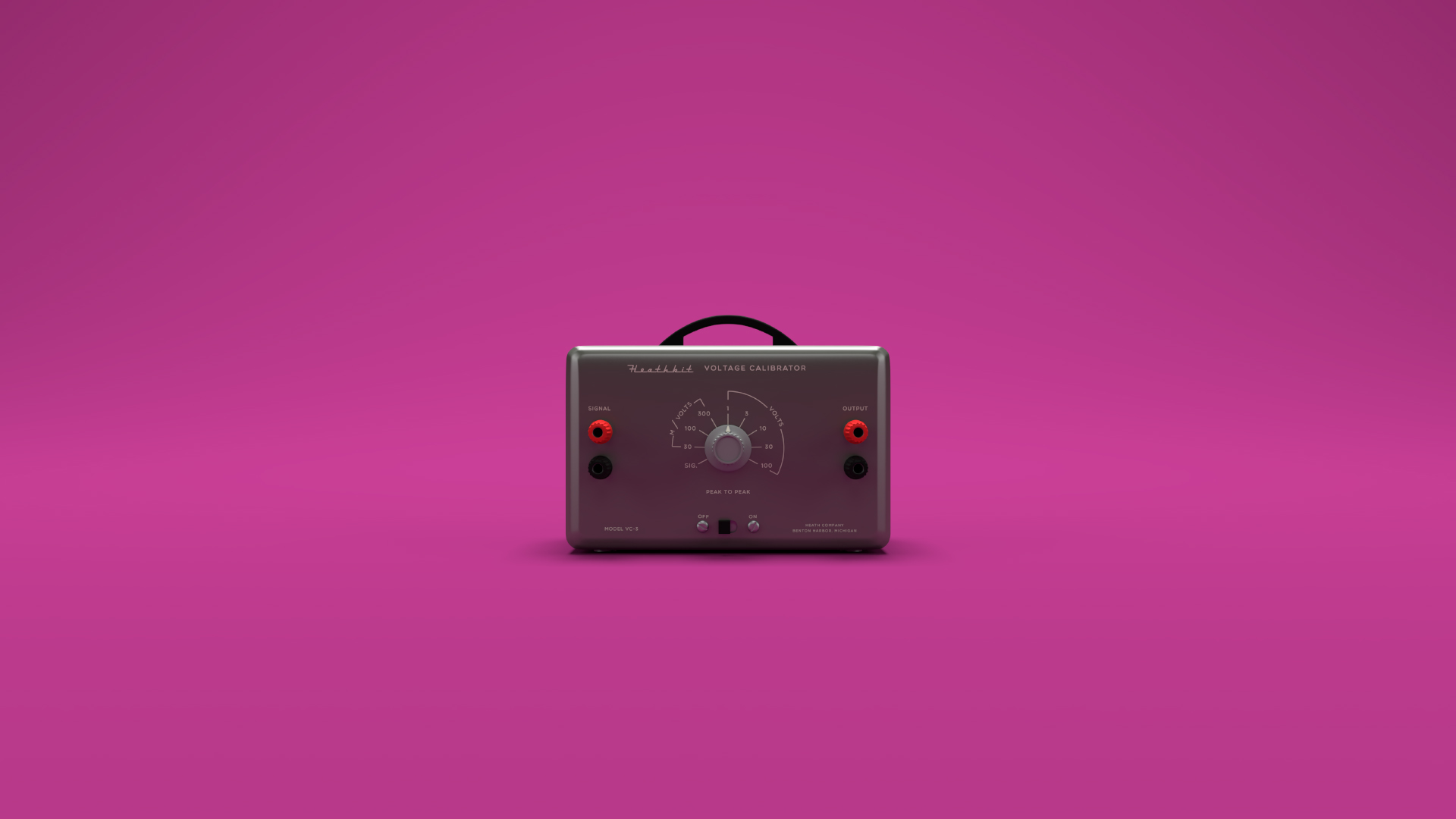
</content:encoded><category>Branding</category><author>Henry Wilkinson</author></item><item><title>Test Bench Equipment</title><link>https://wilkinson.graphics/projects/radio-renders/</link><guid isPermaLink="true">https://wilkinson.graphics/projects/radio-renders/</guid><description>Retro electronics made new again</description><pubDate>Sun, 25 Mar 2018 04:00:00 GMT</pubDate><content:encoded>&lt;p&gt;These vintage test bench devices were modeled in Maya and rendered with Renderman 21, all the text was re-created in Adobe Illustrator based on the original faceplate designs. The renders aim to visualize what these devices looked like right as they rolled off the assembly line in an unrealistic state of perfection.&lt;/p&gt;
&lt;figure&gt;
  &lt;img src=&quot;/img/projects/radio-renders/signal-generator.avif&quot; alt=&quot;Radiometer Copenhagen FM/AM Signal Generator&quot;&gt;
  &lt;figcaption&gt;Radiometer Copenhagen FM/AM Signal Generator&lt;/figcaption&gt;
&lt;/figure&gt;
&lt;figure&gt;
  &lt;img src=&quot;/img/projects/radio-renders/hp-counter.avif&quot; alt=&quot;HP 5245L Electric Counter&quot;&gt;
  &lt;figcaption&gt;HP 5245L Electric Counter&lt;/figcaption&gt;
&lt;/figure&gt;
&lt;figure&gt;
  &lt;img src=&quot;/img/projects/radio-renders/marker-generator.avif&quot; alt=&quot;Lafayette TE-24 Marker Generator&quot;&gt;
  &lt;figcaption&gt;Lafayette TE-24 Marker Generator&lt;/figcaption&gt;
&lt;/figure&gt;
&lt;figure&gt;
  &lt;img src=&quot;/img/projects/radio-renders/voltage-calibrator.avif&quot; alt=&quot;Heathkit Voltage Calibrator&quot;&gt;
  &lt;figcaption&gt;Heathkit Voltage Calibrator&lt;/figcaption&gt;
&lt;/figure&gt;</content:encoded><category>Art</category><author>Henry Wilkinson</author></item></channel></rss>